

 Manage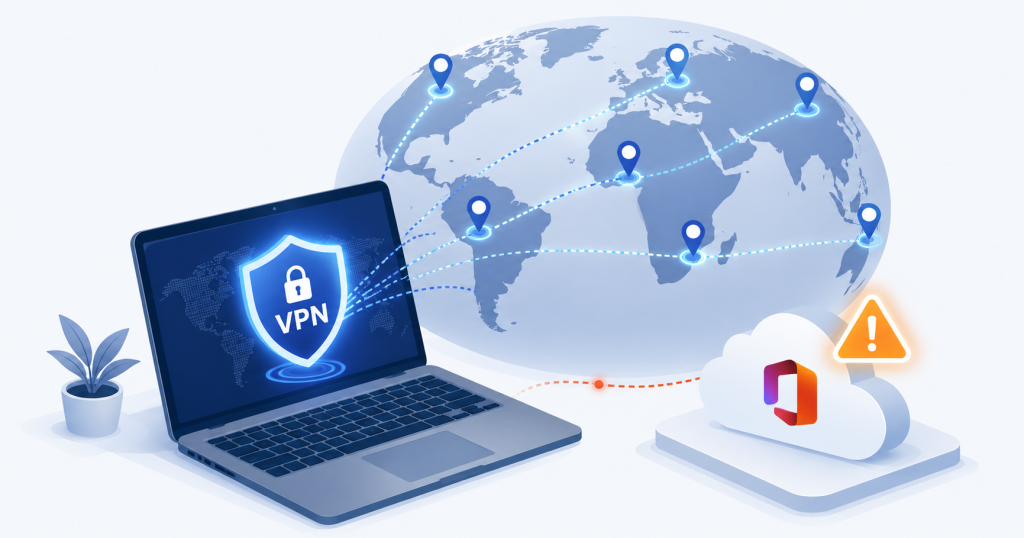
It’s 11:47 PM on a Tuesday. Your IT provider gets a security alert: one of your employees just attempted to log into Microsoft 365 from an IP address in Romania. Three minutes later, another login attempt from the Netherlands. Then Singapore. The account gets auto-locked. The on-call tech calls the employee, who answers groggily from her bedroom in New Jersey: “I’m not in Europe. I’m using NordVPN — I thought it was making me more secure.”
This scene plays out in MSP help desks every week, and it’s the cleanest illustration of why the question “are consumer VPNs safe for work?” deserves a more careful answer than the marketing suggests. Consumer VPNs are excellent for the specific problem they were built to solve. The trouble is that “logging into your business resources” is not that problem — and using one anyway introduces several risks most business owners never see coming.
Here’s what every SMB owner should understand before the next well-intentioned employee installs one on a work device.
The “I Use a VPN, So I’m Secure” Myth
Walk into any small business and ask employees about cybersecurity, and at least one will tell you they take it seriously because they pay for a VPN. The reasoning is intuitive: VPN ads frame the product as a digital invisibility cloak, encryption is good, encryption protects you, therefore more encryption equals more safety.
That logic works for the use case the VPN was advertised to solve — keeping browsing private on a hotel or coffee shop network. It falls apart the moment the same tool gets pointed at Microsoft 365, SharePoint, or any cloud service the business actually depends on.
The disconnect comes down to what businesses actually need from their security stack. A consumer VPN was designed to give an individual user privacy on a hostile network. Modern business security is built around verifying identity, trusting (or distrusting) the endpoint, and controlling where data goes. A consumer VPN does not address any of those concerns. It just adds an extra hop — and that extra hop is where the trouble starts.
What a Consumer VPN Actually Does (and Doesn’t Do)
A consumer VPN encrypts traffic between a user’s device and the VPN provider’s server, then releases that traffic to the internet from the provider’s IP address. The website or service on the other end sees the VPN’s IP, not the user’s home or office IP.
Here’s what that protects against:
- Someone snooping on the same Wi-Fi network seeing which sites the user visits
- An ISP building a profile of browsing habits
- Geographic restrictions on streaming services
Here’s what it does not protect against:
- Malware already on the device
- Phishing attacks targeting the user’s M365 credentials
- Weak or reused passwords
- Account compromise via session token theft
- Sensitive files being copied off the endpoint to a personal device or cloud storage
The critical point most SMB owners miss: M365, Google Workspace, Salesforce, and effectively every modern SaaS application already encrypt their traffic end-to-end with TLS. That encryption happens between the user’s browser and the cloud provider’s servers regardless of whether a VPN is in the path. Wrapping already-encrypted traffic in a second tunnel adds zero security value to the connection itself, but it introduces several operational risks the next sections will spell out.
Four Ways Consumer VPNs Actively Hurt Your Business Security
If consumer VPNs added even modest value when accessing business resources, the cost-benefit math might still favor leaving them alone. They don’t. Here are the four specific ways they make things worse, ranked by how often we see them cause real incidents.
They Mimic the Exact Behavior of Attackers
Microsoft Entra ID (formerly Azure AD) and similar identity platforms make access decisions based on behavioral signals. When a user logs in, the system asks: Is this login coming from a known location? A known device? A typical IP range? An unusual time? Each signal feeds into a risk score, and conditional access policies decide whether to allow the login, require additional MFA, or block it outright.
A user logging in from their home IP in New Jersey at 9 AM scores low risk. The same user logging in five minutes later from a Bulgarian VPN exit node scores high — because that pattern is statistically indistinguishable from an attacker who just stole their credentials.
The downstream effects are predictable and disruptive:
- Legitimate users get locked out and flood the help desk
- Repeated MFA prompts train users to approve push notifications without thinking, defeating the point of MFA
- Real attackers blend into the constant churn of legitimate VPN traffic, making genuine compromise harder to spot
They Obfuscate User Location and Break Geo-Based Controls
Many SMBs configure conditional access policies to allow logins only from countries where their business operates. A US-only firm might block all sign-ins originating outside North America — a simple, high-impact control that stops huge categories of automated attack before MFA even gets involved.
Consumer VPNs defeat this control entirely. A NordVPN subscriber using “fastest server” mode might appear in Germany on Monday, Brazil on Tuesday, and South Korea on Wednesday. Either the policy blocks the legitimate user (who then asks to have geo-fencing disabled) or the policy gets relaxed to accommodate VPN exits — at which point it stops protecting against the attacks it was designed to stop.
Forensics gets even worse. When a real incident happens and an investigator pulls 90 days of sign-in logs, a single user’s history shows logins from 14 countries. Sorting legitimate VPN noise from an actual attacker session becomes nearly impossible.
They Route Business Data Through Unknown Third-Party Infrastructure
Every byte of business traffic passing through a consumer VPN — every SharePoint download, every OneDrive sync, every email composed in Outlook web, every Salesforce record viewed — passes through servers owned and operated by the VPN provider. That provider’s security posture, jurisdiction, logging policies, and ownership are now part of the company’s data path.
This matters because the consumer VPN industry has a checkered history. Several major providers have been caught logging user traffic despite “no-logs” marketing. Others operate from jurisdictions with weak data protection laws or have ownership structures that obscure who actually controls the infrastructure. A few have been linked to data brokers or advertising networks.
For a regulated business — healthcare, financial services, legal, anything handling PII — running confidential client data through an offshore consumer VPN provider is a compliance issue most owners have never considered, but auditors absolutely will.
They Create a False Sense of Security That Leads to Risky Behavior
The most insidious risk is psychological. Users who pay for “secure” VPNs often relax other behaviors: they connect to questionable public networks they would otherwise avoid, click past browser security warnings, access sensitive client files from personal laptops, and assume the VPN is “handling” the security problem.
The illusion of safety is more dangerous than its absence. A user who knows they have no protection acts cautiously. A user who believes their VPN is a security shield acts as if every network is safe. Real-world breaches — including ransomware attacks — frequently start with exactly this kind of misplaced confidence.
When a VPN Genuinely Is the Right Tool
None of this means VPN technology itself is bad. It means the consumer subscription model — bought by an individual user, installed on a work device, configured to tunnel everything — is the wrong fit for accessing modern business resources. There are still legitimate VPN use cases:
- Connecting to private corporate infrastructure. If a business runs on-premises servers, internal-only line-of-business applications, or private network segments not exposed to the public internet, an IT-managed business VPN is the standard way to reach them remotely.
- Reaching non-TLS resources on untrusted networks. Increasingly rare in 2026, but legacy systems and certain industrial control environments still use unencrypted protocols where a tunnel adds genuine protection.
- Traveling in jurisdictions with active network surveillance or service blocking. A business traveler in a country that blocks specific services, or where local network monitoring is a documented threat, has a real reason to tunnel — but this should still be a corporate-managed solution, not a personal subscription.
The common thread across all three: business VPNs are deployed by IT, integrated with the identity system, monitored for abuse, and scoped to specific resources. Modern security thinking moves in the opposite direction — toward Zero Trust, where the network itself isn’t trusted and every access decision is made per request.
What to Use Instead of a Consumer VPN for Business Access
For the actual problem most employees are trying to solve — “I want my work to be more secure” — the modern toolkit looks nothing like a VPN:
- Conditional access policies in Entra ID or equivalent identity platforms verify who is signing in, from where, on what device, and at what risk level — every time
- Endpoint compliance enforcement through Intune or a comparable MDM ensures only managed, patched, healthy devices can reach company data
- Phishing-resistant MFA using FIDO2 hardware keys or passkeys, which is significantly stronger than SMS or push approval
- DNS filtering at the endpoint through tools like DNSFilter or Cisco Umbrella, which protects against malicious sites on any network without needing to tunnel traffic
- Zero Trust Network Access (ZTNA) as the modern replacement for legacy VPNs — verifying identity, device posture, and context per session rather than blanket-tunneling everything
The framing for SMB owners is simple: if your identity, device, and network controls are configured correctly, employees don’t need a consumer VPN to access business resources safely. If those controls aren’t configured correctly, a consumer VPN won’t fix them — and will probably make the gaps harder to see.
The Bottom Line for SMB Owners
The single takeaway: consumer VPNs solve a personal-privacy problem and create a business-security problem when pointed at the wrong workload.
This week, take three quick steps:
- Audit which company devices have consumer VPN apps installed (NordVPN, ExpressVPN, Surfshark, Proton VPN, and similar) — these often surface alongside unsanctioned cloud apps as part of broader shadow IT in your environment
- Add a clear line to your acceptable use policy distinguishing approved business VPNs from personal VPN subscriptions
- Review your conditional access policies to see whether VPN-driven logins are creating gaps in your geo-fencing or risk scoring
If you’re not sure where to start — or whether your current security stack would catch the kind of patterns described above — book a security review with eMDTec. We’ll walk through your conditional access posture, flag where consumer VPN traffic is creating blind spots, and map a path to controls that actually match the way your business works.