

 Manage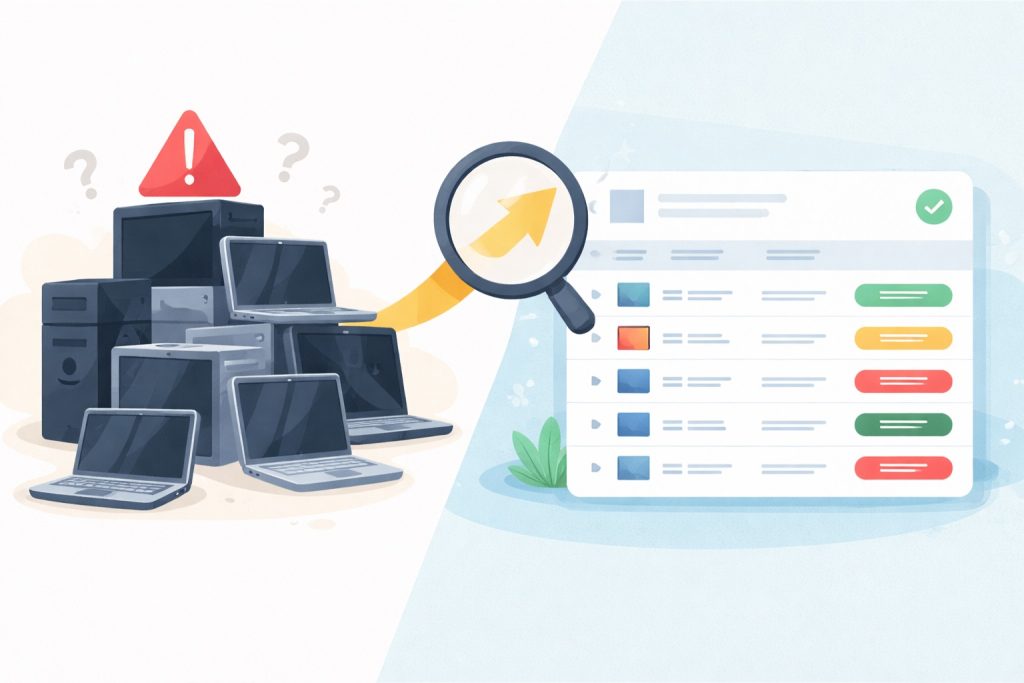
Most small and medium-sized businesses don’t discover they have a hardware problem until a laptop dies mid-workday, a staff member can’t open a critical application, or an IT vendor delivers a refresh quote that’s $10,000 higher than expected. By that point, the options are limited and the leverage is gone.
Hardware lifecycle management for small business starts with one foundational step: knowing exactly what you have, how old it is, and what it’s worth keeping. This guide walks you through a practical audit process you can run today — and shows you what ongoing lifecycle management actually looks like, whether you handle it internally or bring in a managed service provider to take it off your plate.
If you haven’t yet, it’s worth reading why desktop and laptop prices are up 20–40% in 2026 before planning any refresh. The market context changes how you prioritize.
Why Right Now Is the Worst Time to Be Caught Off Guard
Businesses that don’t know what they have can’t plan what they need. That’s always been true, but in 2026 it’s particularly costly. With PC prices rising sharply due to AI-driven memory shortages, tariff pressures, and the Windows 10 end-of-life demand wave, reactive purchasing — buying only when something breaks — is the most expensive way to manage hardware.
Planned refresh cycles prevent emergency purchases when you have zero negotiating leverage. When you’re scrambling to replace a failed machine, you’re paying market rate, accepting whatever’s in stock, and forfeiting any opportunity to standardize, bundle, or negotiate. A fleet audit changes that dynamic. It puts you in control of the timeline instead of reacting to it.
Step 1 — Build Your Hardware Inventory
You can’t manage what you can’t see. The audit starts with a complete, accurate list of every device your business owns or manages — laptops, desktops, workstations, and any shared machines.
For each device, capture:
- Make, model, and serial number
- Age and original purchase date
- Operating system and current version
- Assigned user and physical location
- Current warranty status
Free and low-cost tools can help you pull this automatically rather than walking desk to desk. Microsoft Endpoint Manager (included with many Microsoft 365 Business plans) gives you a solid device inventory if your machines are enrolled. Lansweeper’s free tier works well for smaller fleets. For businesses with fewer than 20 devices, a well-structured spreadsheet is still a legitimate starting point.
The goal is one source of truth — a single document you can sort, filter, and reference when a refresh decision needs to be made.
Step 2 — Assess Device Health and Age
Age is a starting point, not a verdict. A user with outdated hardware might only experience issues when starting their PC or opening applications — but bigger delays could exist and affect performance in ways that are harder to measure. A 4-year-old device doing light office tasks may comfortably outlast a 2-year-old machine running resource-intensive workloads.
Alongside age, flag these specific signals during your assessment:
- Battery health below 60% on laptops
- Boot times consistently over 90 seconds
- RAM under 8GB (16GB is the effective minimum for Windows 11 and Copilot+ requirements)
- Failed Windows 11 compatibility checks via Microsoft’s PC Health Check tool
- Devices still running Windows 10 that cannot be upgraded
Use a simple three-tier triage to classify each device:
- Green — serviceable for at least two more years with no intervention needed
- Yellow — monitor closely; plan for replacement within 12 months
- Red — replace in the current refresh cycle
Any device that fails a Windows 11 compatibility check is automatically Red. Windows 10 support ended on October 14, 2025 — Microsoft no longer provides software updates, security fixes, or technical assistance. Running unsupported hardware in a business environment isn’t just a performance issue — it’s a security and compliance exposure.
Step 3 — Map Devices to Business Risk
Not every device carries the same weight when it fails. A broken laptop at the reception desk is an inconvenience. A failed machine for the person processing invoices, running your EHR, or managing payroll is a revenue event.
Once you’ve triaged device health, assign each device a business impact tier:
- Critical — failure directly disrupts revenue, compliance, or patient/client-facing operations
- Standard — affects individual productivity but has workarounds
- Low — shared, backup, or administrative use with minimal business impact
Cross-referencing health and impact gives you your actual refresh priority list. A Red device in a Critical role gets replaced first, regardless of budget pressure. A Yellow device in a Low-impact role can wait. This matrix prevents the common mistake of refreshing by department or seniority rather than by actual business risk.
What Good Lifecycle Management Actually Looks Like
A one-time audit is a snapshot. Lifecycle management is what happens between audits — and it’s where most SMBs lose ground.
Hardware lifecycle planning helps SMBs avoid surprise costs by allowing them to anticipate expenses. Rather than reacting to sudden hardware failures, businesses can forecast and budget for capital expenditures over time — and leverage vendor deals and bulk purchase discounts.
The practical components of a mature lifecycle program include:
- Scheduled audits on a 6–12 month cadence, not just when a refresh is coming
- A 3–4 year rolling replacement window that staggers purchases across budget years rather than hitting all at once
- Documented hardware standards so new purchases match your existing environment
- Vendor relationships that give you advance notice on pricing changes and access to volume pricing
- A retirement process that accounts for secure data wiping and responsible disposal
Studies consistently show that the purchase itself often represents only 20–30% of the total cost of a device over its lifetime — the larger expense comes from support hours, downtime, inefficiency, and productivity loss when systems struggle to keep up. Lifecycle management is how you control that 70–80%.
The DIY Ceiling — Where Most SMBs Get Stuck
The audit process above is manageable once. Sustaining it across staff turnover, business growth, new device additions, and evolving vendor landscapes is where internal capacity tends to break down.
Nearly 45% of IT leaders admit to wasting 10% of their budgets due to poor hardware asset management, while 36% admit to wasting 25% — through unused laptops, overlooked warranties, and devices sitting idle rather than being utilized.
The failure modes are predictable: no one owns the asset register after the first audit, refresh decisions get deferred indefinitely when budgets tighten, and hardware standards drift as devices are added ad hoc. This isn’t a failure of intent — it’s a resource problem. Most SMBs simply don’t have a dedicated IT person whose job is to maintain this discipline continuously.
How an MSP Handles What You Can’t
A managed service provider brings infrastructure to lifecycle management that most SMBs can’t build internally: automated inventory tracking that updates in real time, proactive health monitoring that flags degrading devices before they fail, standardized procurement with vendor relationships already in place, and budget forecasting that turns hardware from a capital surprise into a predictable operating line item.
Partnering with an IT services organization on technology lifecycle management is one way SMB leaders can ensure their business is rightsizing its technology spending — leaving internal teams to focus on other important matters rather than asset tracking and procurement logistics.
The difference between break-fix IT and proactive lifecycle management shows up most clearly over a 3–5 year window. Break-fix costs are unpredictable, skewed toward crisis moments, and carry no institutional memory from one incident to the next. Proactive lifecycle management builds a documented history of your fleet, anticipates refresh needs before they become emergencies, and maintains the vendor leverage that reactive purchasing destroys.
At eMDTec, our approach to hardware lifecycle management for SMB clients starts with fleet visibility — knowing every device, its health status, and its refresh timeline. From there we build a rolling refresh plan aligned to your budget cycle, source hardware through our vendor relationships to get you better pricing than the retail market, and handle deployment so your team doesn’t lose a workday to a new machine setup.
Not sure where your fleet stands? We offer cyber security risk assessments for SMBs. IT asset audits are a core component of such an assessment. Reach out to start the conversation — and go into your next refresh cycle with a plan instead of a reaction.