

 Managed IT Services
Walk into almost any small business in New Jersey and you will find it: a closet, a corner of the server room, or a shelf under the front desk stacked with old computer equipment. Retired desktops. A tower server that was replaced two upgrades ago. Laptops with dead batteries. A box of loose hard drives that somebody meant to “deal with later.”
Nobody keeps old computer equipment on purpose. It piles up because getting rid of it feels risky, because someone might need a file off it someday, or because it seems wasteful to throw out something that still turns on. Those reasons are understandable. They are also costing you money, eating your square footage, and exposing your business to a data breach and a compliance violation you have not budgeted for.
This post explains why old computer equipment is a compliance issue, a security issue, and a space issue, and what you should actually do with it. The short version: have your MSP or IT team take it, pull and destroy the drives, and recycle the rest through a certified vendor. Here is why that matters and how it works.
Why Old Computer Equipment Piles Up in NJ Offices

We have been supporting New Jersey businesses since 2002, and the reasons for hoarding hardware have not changed much. They usually fall into one of four buckets.
Inertia. The machine got swapped out, the new one works, and the old computer equipment went on a shelf. There was never a moment where someone was responsible for the next step, so the next step never happened.
“We might need something off it.” This is the most common one. A former employee’s desktop, an old QuickBooks server, a laptop from a practice manager who left. Nobody is sure whether the data was fully migrated, so nobody wants to be the person who wiped it.
Compliance fear. Ironically, the same regulations that make holding old equipment dangerous also make people afraid to dispose of it. Owners know they are not supposed to throw a hard drive in the dumpster, but they are not sure what they are supposed to do, so they do nothing.
Perceived savings. A working machine feels like an asset. “It’s a spare.” “We can use it for the intern.” In practice, that spare is rarely used, and when it is, it introduces an unpatched, unsupported device onto your network.
None of these reasons survive a hard look at the risks of using outdated business computers, or of simply storing old computer equipment you no longer use. Let’s take the three problems in order.
Problem 1: Old Computer Equipment Is a Compliance Issue
Most business owners think of compliance as something that applies to live systems: the server that stores patient records, the workstation where bookkeeping happens. Regulators do not see it that way. Data on a retired drive in a closet is still data you are responsible for, and every major framework that applies to New Jersey businesses says so.
HIPAA: PHI on a retired drive is still PHI
If you are a medical or dental practice, a behavioral health provider, or any business that handles protected health information, HIPAA’s Security Rule requires you to have policies for the final disposition of electronic PHI and the hardware it lives on. The U.S. Department of Health and Human Services is explicit that covered entities must clear, purge, or destroy electronic media before it is discarded or reused.
Old computer equipment sitting under a desk with a decade of patient data on it is not “retired” in HIPAA’s eyes. It is an unmanaged system holding ePHI with no access controls, no audit logging, and no encryption. If it walks out the door during an office move or a cleaning crew’s visit, that is a reportable breach. Our HIPAA compliance consulting work with NJ practices almost always starts with an inventory of exactly this kind of forgotten hardware.
FTC Safeguards Rule: dispose of customer data within two years
If you are a CPA firm, a mortgage broker, an auto dealer, a tax preparer, or any other “financial institution” under the Gramm-Leach-Bliley Act, the FTC Safeguards Rule applies. The updated rule requires you to securely dispose of customer information no later than two years after your last use of it, unless you have a legitimate business or legal reason to keep it. It also requires a written data disposal procedure.
A box of drives pulled from old computer equipment during your 2019 workstation refresh fails that test on its face. You cannot document a retention decision for data you do not know you still have.
New Jersey law: identity theft prevention and the NJDPA
New Jersey’s Identity Theft Prevention Act requires any business that keeps records containing personal information to destroy those records, or make them unreadable, once they are no longer needed. That applies to the hard drive in old computer equipment just as much as a filing cabinet. The New Jersey Data Privacy Act adds a broader duty to secure personal data with reasonable safeguards, and New Jersey’s breach notification law requires you to notify affected residents and the State Police if that data is compromised.
We break down which of these rules apply to which types of NJ businesses in our guide to New Jersey business compliance regulations. The common thread is simple: if you cannot prove a drive was wiped or destroyed, a regulator or a cyber insurance adjuster will assume it was not.
New Jersey computer hardware recycling compliance
There is an environmental layer too. Under the New Jersey Electronic Waste Management Act, computers, monitors, and televisions are “covered electronic devices” that have been banned from the regular trash and landfills since January 1, 2011. They have to go to a proper electronics recycling vendor, and businesses that recycle computers through a certified program get documentation to prove it. New Jersey computer hardware recycling compliance is not complicated, but it does mean the answer is never “put it out on garbage day.”
Cyber insurance carriers have started to care about all of this as well. Renewal questionnaires increasingly ask whether you have a documented asset disposal process. Answering “yes” while a closet full of unwiped drives sits down the hall is the kind of thing that gets a claim denied. (We wrote about that risk in how to answer cyber insurance renewal questions without voiding your policy.)
Problem 2: Old Computer Equipment Is a Security Risk

Compliance is what happens after something goes wrong. Security is about preventing it. Old computer equipment creates two distinct security problems, and businesses usually only think about one of them.
The data on the shelf
Deleting files, emptying the recycle bin, even reformatting a drive does not remove data. It removes the index that points to the data. Anyone with free recovery software and twenty minutes can pull client files, saved passwords, browser sessions, email caches, and cached credentials for your line-of-business applications off a “wiped” drive.
Old machines also hold things people forget about: local copies of Outlook mailboxes, scanned documents in a downloads folder, a spreadsheet of employee Social Security numbers that HR built once in 2017. Every one of those is a breach waiting for a lost laptop or a “free to a good home” desktop.
Windows security risks on old hardware
The second problem is the “spare” that gets pressed back into service. Windows security risks on old hardware are not theoretical. Windows 10 reached end of support in October 2025, and the majority of business PCs built before 2018 cannot run Windows 11 at all because they lack a TPM 2.0 chip and a supported processor. Those machines will never receive another security patch.
That matters because modern protections depend on modern hardware. Endpoint detection and response, hardware-backed credential protection, phishing-resistant MFA, disk encryption that does not crush performance, and zero-trust network access all assume a supported operating system on a machine with a TPM and enough memory to run them. Put an unsupported Windows 10 box on your network “just for the front desk” and you have handed ransomware operators an unpatched foothold behind your firewall. We covered the details in Still on Windows 10? Here’s Why You’re Putting Your Business at Risk.
Ransomware groups do not need to break your best-defended system. They need one weak one. A security risk assessment will usually surface these forgotten machines in the first hour. Old computer equipment that is technically “off” today but plugged in tomorrow is exactly that.
Old servers are the worst offenders
Retired servers deserve special mention among old computer equipment. They hold the most sensitive data in the building, in the most concentrated form: the entire practice management database, every client file, every user’s home folder, the domain controller with everyone’s password hashes. They are also the machines most likely to be left running “just in case” long after they were replaced, often still joined to the domain with an administrator account nobody has rotated in years.
Problem 3: It’s Taking Up Space and Costing You Money

Even setting compliance and security aside, old computer equipment is expensive to keep, and the space it occupies is rarely counted as an IT cost. The cost just does not show up on one line of the P&L, so it is easy to miss.
The cost of maintaining old office servers
Office space in Essex, Bergen, Morris, and Union County is not cheap. A server rack, a closet, or a storage room full of dead hardware is square footage you are paying rent on for something that produces nothing. The cost of maintaining old office servers goes beyond rent: a legacy server running for “archive access” draws power around the clock, adds to your HVAC load, and needs someone to keep it patched, backed up, and monitored, or it becomes the unmanaged risk described above.
Then there is support labor. Every hour your IT team spends keeping old computer equipment alive, coaxing a ten-year-old machine through a boot cycle or troubleshooting a driver that no longer exists is an hour not spent on work that moves your business forward. We looked at the full replacement math, including the 50 percent repair-versus-replace rule we use with clients, in our post on hardware lifecycle management.
Slow office computers and productivity loss
When old equipment is still in daily use, the productivity cost is the largest one of all. Slow office computers and productivity loss go hand in hand: a workstation that takes five minutes to boot and freezes every time someone opens a large PDF costs a few minutes here and a few minutes there, all day, every day, for every employee stuck with it. Multiply that across a year and you have paid for a new machine several times over in wasted salary.
A modern cloud or hybrid setup, where line-of-business applications run in Microsoft 365 or a hosted environment and workstations are lean, current, and encrypted, is almost always cheaper to run than the aging on-premises stack it replaces. Our cloud services team helps NJ businesses make that transition without the disruption owners fear.
What You Should Actually Do With Old Computer Equipment
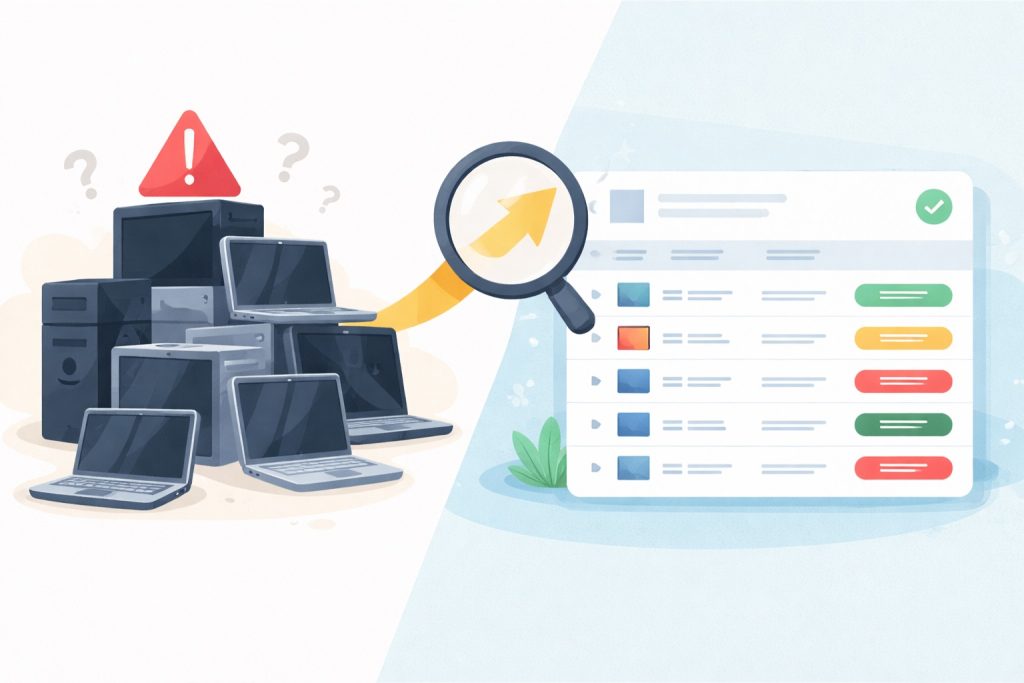
Here is the good news: this is a solved problem. IT equipment disposal for businesses in NJ follows a clear, repeatable process, and it is something your managed IT provider should handle as a routine part of the service, not a special project. This is how we do it at eMDTec.
Step 1: Inventory everything
Start with a list of every piece of old computer equipment in the building. Every desktop, laptop, server, external drive, NAS, tablet, and loose hard drive gets a line item with its serial number, its last known role, and whether it has ever held client, patient, or employee data. If you are not sure, treat it as if it has. This inventory becomes the audit trail that a regulator, an auditor, or a cyber insurer will ask for.
Step 2: Confirm the data has been migrated
This is the step that unblocks the “we might need something off it” fear. Your IT team verifies that anything still needed on the old machine has been moved to a current, backed-up, access-controlled location, and documents that verification. For servers, that usually means confirming the application database and file shares were migrated and that an archive image exists in your backup platform with a defined retention period. Once that is documented, there is no reason to keep the hardware.
Step 3: Remove and destroy the hard drives
The drives are the only part of old computer equipment that matter from a security standpoint. Your MSP pulls every storage device: internal hard drives and SSDs, the drives in the server’s RAID array, the NAS disks, and anything in the box of loose drives. Each one is either wiped to a recognized standard or physically destroyed.
The standard we follow is the National Institute of Standards and Technology’s NIST SP 800-88 Guidelines for Media Sanitization, which was updated to Revision 2 in September 2025. It defines three levels: clear (a verified software overwrite), purge (cryptographic erase or a firmware-level sanitize command), and destroy (shredding, crushing, or degaussing). For most small businesses, and for anything that held PHI or financial data, we recommend physical destruction, because it is the only method that is unambiguous, and because the drives in old computer equipment have no resale value worth the risk.
Either way, you receive a certificate of destruction listing each drive by serial number. That certificate, attached to the inventory from Step 1, is your compliance evidence.
Step 4: Recycle the rest through a certified recycler
With the drives out, the chassis, motherboard, power supply, monitors, and cables are just e-waste, and you can recycle computers without any data risk. They go to an electronics recycler certified under the R2 or e-Stewards standards, which is what New Jersey computer hardware recycling compliance requires in practice. A certified recycler documents the chain of custody and confirms the material was processed responsibly rather than exported or landfilled. Some newer equipment can be refurbished and resold, which can offset a portion of the cost.
Step 5: Update your asset records and your policy
Finally, the retired equipment is marked as disposed in your asset inventory, with the destruction certificate and recycler receipt attached. If you do not yet have a written policy for retiring old computer equipment, this is the moment to create one, so the next refresh cycle follows the same path automatically instead of ending in a closet.
Why Your MSP Should Handle IT Equipment Disposal for Businesses in NJ
You could do all of this yourself. A determined office manager can pull drives with a screwdriver and find a recycler online. But the value of having a local IT company for New Jersey SMBs handle it is not the screwdriver work. It is the four things around it.
They know what is on the machine. Your IT provider knows which server held the practice database, which laptop belonged to the bookkeeper, and which “spare” desktop still has a domain admin profile cached on it. That knowledge is what makes the data-migration check in Step 2 trustworthy.
They produce the paperwork. Certificates of destruction, serial-number inventories, recycler chain-of-custody records. When your cyber insurer or a HIPAA auditor asks how you handle retired hardware, you hand them a folder instead of a shrug.
They tie it to the replacement. Disposal is the tail end of a hardware lifecycle. The same team that retires the old equipment provisions the new systems, so the machine leaves the building on the same day its replacement is deployed, encrypted, enrolled in monitoring, and joined to your cybersecurity stack. Nothing sits in limbo.
They make it routine. Under a managed services agreement, disposal is part of ongoing lifecycle management, not a one-time cleanup. Equipment is tracked from purchase to destruction, and the closet never fills up again.
When you compare IT support companies in New Jersey, ask each one how they handle retired hardware. If the answer is vague, that tells you something about how they handle the rest of your infrastructure. Our NJ managed IT services include lifecycle and disposal management as a standard part of the relationship, alongside 24/7 monitoring, patching, backup, and security.
A Quick Self-Check for New Jersey Business Owners
Not sure whether this post is about you? Walk through your office with these questions about old computer equipment.
- Is there a computer, server, or drive in the building that has not been powered on in more than six months?
- Can you say, for every retired machine, whether its drive was wiped or destroyed, and show a record of it?
- Are any of your active workstations still running Windows 10, or unable to upgrade to Windows 11?
- Does anyone on staff use a “spare” or hand-me-down machine that is not enrolled in your security tools?
- Do you have a written policy for how hardware is retired and disposed of?
If you answered “yes” to the first question or “no” to any of the others, you have old computer equipment that is a liability rather than an asset. The fix is not expensive, and it is far cheaper than the breach notification letters, the failed audit, or the ransomware recovery it is preventing.
Frequently Asked Questions About Old Computer Equipment
Can I just format the hard drive and donate the computer?
Formatting does not remove data from old computer equipment; it only removes the file table. If the machine ever held client, patient, employee, or financial data, the drive should be wiped to NIST 800-88 standards or physically destroyed before the computer leaves your control. A donated machine can go out with a new, blank drive installed.
Is it illegal to throw a computer in the trash in New Jersey?
Computers, monitors, and televisions are covered under the New Jersey Electronic Waste Management Act and have been banned from landfill disposal since 2011. They must go to an electronics recycler. Separately, throwing out a drive that contains personal information without destroying it can violate New Jersey’s Identity Theft Prevention Act and, depending on your industry, HIPAA or the FTC Safeguards Rule.
What is a certificate of destruction and do I really need one?
A certificate of destruction is a document from the party that wiped or destroyed your drives, listing each device by serial number, the method used, and the date. You need one if you are subject to HIPAA, the FTC Safeguards Rule, or a cyber insurance policy that asks about data disposal, which covers most New Jersey businesses. It is the only practical way to prove the data is gone.
How long should I keep an old server before disposing of it?
Once the data has been migrated and a verified archive image exists in your backup platform, there is no security or compliance reason to keep the physical server. Most of our clients retire the old server within 90 days of a migration. Keeping it longer only adds risk and cost. Your retention obligations apply to the data, which lives in the archive, not to the box.
What does IT equipment disposal cost for a small business in NJ?
For eMDTec managed services clients, disposal is part of the lifecycle management we already provide, so there is typically no separate charge for pulling drives and documenting destruction during a normal refresh. Recycler fees for the remaining hardware are modest and are sometimes offset by resale value on newer equipment. For a one-time cleanup of a large backlog, we will quote it as part of a free infrastructure assessment.
Stop Storing Risk. Start Retiring It.
Old computer equipment in your office is not a spare, an archive, or a savings. It is unmanaged data, unpatched attack surface, and rented square footage doing nothing. Every framework that governs New Jersey businesses, from HIPAA and the FTC Safeguards Rule to the state’s own identity theft and e-waste laws, expects you to have a documented process for retiring it, and every cyber insurer is starting to ask.
Don’t let legacy hardware hold your business back or risk a data breach. eMDTec handles everything from secure data destruction and old hardware recycling to provisioning lightning-fast, secure new systems. Call eMDTec today for a free IT infrastructure assessment.