

 Managed IT Services
Microsoft 365 Copilot Services in New Jersey: Secure AI for SMBs and Professionals
Copilot can draft the letter, summarize the meeting, and build the spreadsheet, but only if your Microsoft 365 tenant is clean, your permissions are right, and your compliance obligations are handled first. The Microsoft 365 Copilot services NJ businesses get from eMDTec cover all three: licensing, a permissions and data-readiness audit, secure deployment, and hands-on training, delivered by a New Jersey managed service provider that has run Microsoft 365 for healthcare, legal, financial, and professional services firms since 2002.
Why Microsoft 365 Copilot Services NJ Businesses Buy Start With Readiness
Microsoft 365 Copilot integrates AI directly into Word, Excel, Outlook, Teams, and PowerPoint, and the Microsoft 365 Copilot services NJ firms hire eMDTec for make sure it does so safely. It drafts documents, summarizes long email threads, recaps meetings, analyzes spreadsheets in plain language, and surfaces context from your files and chats, all inside your own Microsoft tenant. Your business data is never used to train public AI models. That is the promise, and for most New Jersey SMBs it holds, with one catch nobody mentions on the sales page.
Copilot can only show a user what that user already has permission to see. In a tenant where SharePoint sharing was set to “everyone” years ago and nobody cleaned it up, Copilot will cheerfully surface the partner compensation spreadsheet to the receptionist. That is why the Microsoft 365 Copilot services NJ firms get from eMDTec begin with a permissions and data-readiness audit, not a license order. We fix the foundation, then turn Copilot on.
Buying Copilot Licenses vs. an M365 Copilot Deployment New Jersey Firms Can Trust
Plenty of New Jersey businesses bought Copilot seats in the first wave without any Microsoft 365 Copilot services NJ partner behind them, used them for two weeks, and quietly stopped. The difference between a license and a result is what an MSP does before and after the switch is flipped.
| Buying licenses on your own | M365 Copilot deployment from eMDTec | |
|---|---|---|
| Permissions | Copilot inherits years of oversharing | Permissions audit and cleanup before rollout, following our Copilot rollout checklist |
| Data quality | Copilot answers from stale, duplicated files | SharePoint libraries, Teams channels, and OneDrive organized so Copilot has clean sources |
| Compliance | Hope the defaults are HIPAA or FINRA safe | Sensitivity labels, DLP, retention, and audit logging configured for your regulator |
| Adoption | Two people use it; the rest forget | Role-based training and prompt libraries for your industry, measured monthly |
| Licensing cost | Seats assigned to everyone, used by few | Usage reviewed quarterly; idle seats reassigned or removed |
| Support | Microsoft’s forum | A Verona help desk that already manages your tenant |
The Microsoft 365 Copilot services NJ businesses actually see a return on are the ones where somebody is accountable for the whole cycle, from tenant hygiene to the training calendar to the licensing review.

A Microsoft 365 Copilot Consultant NJ Businesses Can Sit Across From
eMDTec is a New Jersey managed service provider headquartered at 155 Pompton Avenue in Verona, and a Microsoft partner that has managed Microsoft 365 tenants for regulated firms across Essex, Passaic, Morris, Bergen, Union, and Hudson counties for two decades. When you want a Microsoft 365 Copilot consultant NJ regulators and cyber insurers will take seriously, the answer is not a national reseller’s onboarding video; it is an engineer who already knows your tenant, your compliance obligations, and your people, and who can be in your conference room for the training session.
NJ IT support Microsoft Copilot users need after go-live is the same help desk that handles everything else in your environment, so a “Copilot gave me the wrong file” ticket goes to someone who can fix the permission, not just explain it.
Book a 15-Minute Copilot ConsultWhat Our Microsoft 365 Copilot Services NJ Clients Get
Copilot Readiness and Permissions Audit
Every Microsoft 365 Copilot services NJ engagement opens here: we inventory SharePoint sites, Teams, OneDrive, and shared mailboxes, find every “anyone with the link” and “everyone except external users” grant, and remediate before a single Copilot seat is assigned. The audit produces a written report your compliance officer or cyber insurer can keep.
Licensing Review and Procurement
Microsoft 365 Copilot is an add-on license for Business Standard, Business Premium, E3, and E5, and licensing is the part of Microsoft 365 Copilot services NJ businesses most often overpay for. As a Microsoft partner, eMDTec reviews what you already pay for, confirms eligibility, and adds seats only where they will be used. Our Copilot license audit routinely finds idle seats at firms that bought in bulk.
Secure Configuration for Regulated Industries
In every Microsoft 365 Copilot services NJ deployment we run, sensitivity labels, data loss prevention, retention policies, audit logging, and Copilot-specific controls are configured to match HIPAA, FTC Safeguards, FINRA and SEC, or bar confidentiality rules. Managed IT services for Microsoft assistant tools like Copilot are only as safe as the tenant underneath them, so we harden that first.
Role-Based Training and Prompt Libraries
A billing coordinator, a litigation paralegal, and a CPA use Copilot differently, so the training inside our Microsoft 365 Copilot services NJ clients receive is built by role. We deliver short, role-specific training sessions and prompt libraries for each, on site in Northern New Jersey or remotely, and repeat them as Microsoft ships new capabilities.
Ongoing Optimization and Governance
Copilot changes monthly, which is why Microsoft 365 Copilot services NJ firms buy from eMDTec are a subscription, not a project. We track new features, review usage, retire unused seats, update policies, and report adoption to leadership as part of your managed IT services agreement, so the tool keeps paying for itself.
Hardware That Keeps Up
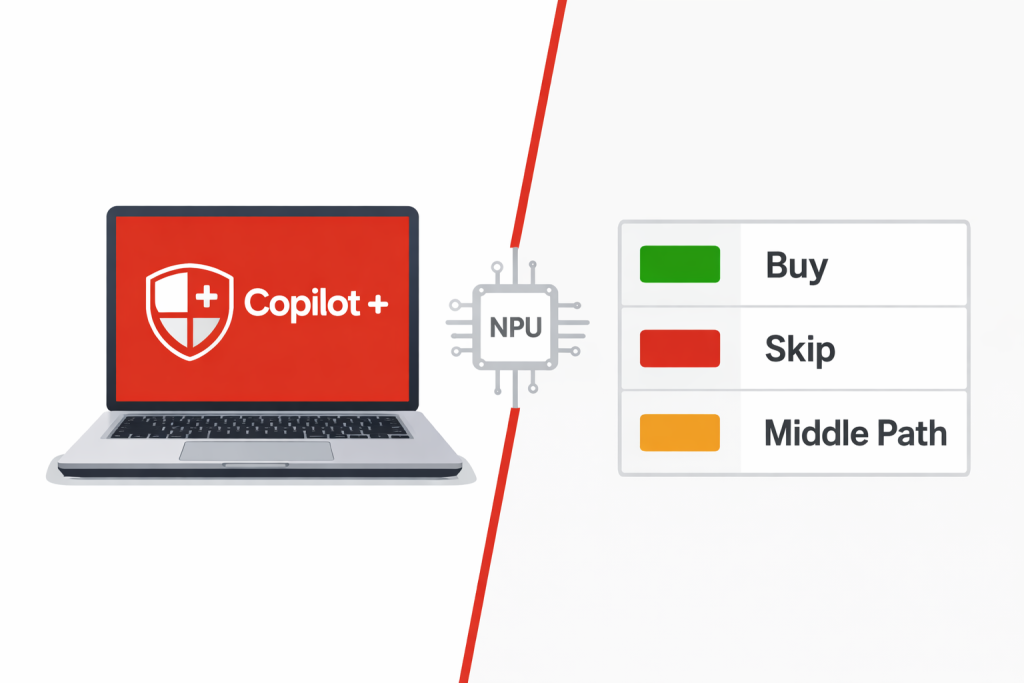
Copilot runs in the cloud, but an eight-year-old laptop still slows everyone down, and Microsoft 365 Copilot services NJ firms get from us include a look at the hardware. Where it makes sense, we advise on Copilot+ PCs and refresh cycles as part of the deployment, without pushing hardware you do not need.
Microsoft Copilot for Small Business: Affordable AI Tools for SMBs

For a fifteen-person firm, Copilot is the first AI assistant for growing businesses that does not require a data science hire. It lives inside the tools your team already opens every morning, so how to implement Copilot in a small company comes down to three decisions: which roles get seats first, what the tenant needs cleaned up beforehand, and who trains the staff. eMDTec answers all three in the first meeting and delivers the Microsoft 365 Copilot services NJ small businesses can budget for on a flat monthly fee alongside their existing managed IT.
The practical wins are unglamorous and real: boost SMB productivity with Microsoft 365 by turning a forty-message email thread into a three-line summary, drafting the client proposal from last year’s version, and catching up on a missed Teams meeting in ninety seconds. Affordable AI tools for SMBs should save hours in week one, and Copilot does when it is set up properly.
HIPAA-Compliant AI for Healthcare Providers
Healthcare practices shopping for Microsoft 365 Copilot services NJ wide ask us two questions: is Copilot HIPAA compliant, and will it help with the paperwork that is burning out the front office. The honest answers are “it can be” and “yes.” A HIPAA-compliant Microsoft Copilot deployment depends on a signed Microsoft Business Associate Agreement, sensitivity labels on anything containing PHI, DLP rules that stop patient data leaving the tenant, and audit logs that show who asked Copilot what. eMDTec configures all of it, and because we have supported CGM eMDs and other practice systems since 2002, we know where the PHI actually lives.
Once that foundation is in place, the Microsoft 365 Copilot services NJ practices use earn their keep on Copilot for healthcare administrative tasks: drafting patient follow-up letters and referral summaries, writing SOPs and staff memos, summarizing payer correspondence, and recapping practice meetings with action items. Secure medical data Microsoft 365 handling stays intact because Copilot never moves the data; it reads what a user is already allowed to read. NJ healthcare IT compliance Copilot questions from your compliance officer get answered in writing, with the configuration evidence attached.
Secure AI for Financial Services NJ: Microsoft Copilot for Accounting Firms
Accountants and financial advisors get the most measurable return from the Microsoft 365 Copilot services NJ firms deploy, and carry the strictest rules around it. Microsoft Copilot for accounting firms means AI financial data analysis Microsoft 365 users can trust: automating spreadsheets with Copilot to build pivot tables, explain variances, and chart trends from a plain-English prompt, drafting engagement letters and client updates, and summarizing regulatory bulletins during busy season. Because Copilot works inside Excel rather than exporting your workbook to a public chatbot, the client’s general ledger never leaves the tenant.
Secure AI for financial services NJ examiners will accept requires the same controls as the rest of your program: FTC Safeguards Rule sensitivity labels, FINRA and SEC record retention on Copilot-generated content, and access logging. Fintech regulatory compliance M365 configuration from eMDTec maps those to your FTC Safeguards and broker-dealer obligations so Copilot becomes part of the compliance program rather than a new gap in it.
Secure Microsoft Copilot Deployment for NJ Law Firms
Law firms demand absolute confidentiality from any Microsoft 365 Copilot services NJ bar rules will tolerate, and Microsoft Copilot for law firms can honor it, provided ethical walls are enforced in the tenant before Copilot is allowed to search it. eMDTec’s M365 Copilot legal tech NJ practices rely on starts with matter-level permissions and information barriers, so Copilot cannot surface a walled-off matter to the wrong attorney. From there, secure AI legal document drafting becomes routine: first drafts of correspondence, engagement letters, and memoranda from the firm’s own precedents, with attorney review as the final step.
Confidentiality-assured AI for lawyers also means the work stays inside the firm. Copilot does not train on your documents and does not send them to a public model. Streamlining legal discovery with Copilot, summarizing deposition transcripts, recapping client calls in Teams, and turning chat threads into billable activity summaries all happen within your Microsoft 365 tenant, under your retention policy, with an audit trail.
Microsoft Copilot for Professional Services and Consulting Firms
Consultants, agencies, engineers, and architects live on proposals, status reports, and client email, and they are the fastest adopters of the Microsoft 365 Copilot services NJ businesses get from eMDTec. Microsoft Copilot for professional services turns that load into minutes: AI project management Microsoft 365 users get from Copilot in Teams and Planner recaps every meeting into owners and deadlines, while automating client communication with Copilot in Outlook drafts the weekly update from the project’s own files. AI consulting services New Jersey firms get from eMDTec include the prompt libraries and templates that make those outputs sound like your firm, not like a chatbot.
Security and Compliance Inside Every Copilot Deployment

Every Microsoft 365 Copilot services NJ engagement at eMDTec pairs Copilot with the security layer around it, because Microsoft 365 Copilot services NJ regulators sign off on are security projects first: phishing-resistant multi-factor authentication, conditional access that blocks Copilot from unmanaged devices, mobile and endpoint security for the phones and laptops it runs on, and 24/7 threat monitoring of the tenant. Microsoft’s own Copilot privacy and data documentation is the baseline; your regulator’s expectations are the target, and we configure to the higher of the two.
Technical Projects Our Microsoft 365 Copilot Services NJ Clients Bring Us
- Pre-Copilot permissions cleanup across SharePoint, Teams, and OneDrive, including removal of legacy “everyone” and anonymous links.
- Sensitivity label and DLP rollout so PHI, client financials, and privileged matters are classified before Copilot can read them.
- Pilot programs for one department, with usage measured and a go/no-go decision before firm-wide licensing.
- Copilot license audits that reassign or remove idle seats and cut waste from earlier bulk purchases.
- Copilot+ PC and Windows 11 refresh planning, Teams and Planner workflow design, and quarterly adoption reporting for leadership.
Microsoft 365 Copilot Services NJ: Questions We Hear Most
What does Microsoft 365 Copilot cost for a New Jersey business?
Copilot is a per-user monthly add-on to Business Standard, Business Premium, E3, or E5; the Microsoft 365 Copilot services NJ clients buy from eMDTec are priced separately from the license. eMDTec bundles the deployment, readiness audit, training, and ongoing governance into a flat monthly managed services fee, and we recommend piloting with the roles that will use it most before licensing everyone.
Is Microsoft 365 Copilot HIPAA compliant?
Copilot is covered under Microsoft’s Business Associate Agreement for Microsoft 365, and it can be configured to meet HIPAA requirements. Compliance depends on your tenant: sensitivity labels, DLP, access controls, and audit logging have to be in place. That configuration is the core of our healthcare deployments.
Does Copilot train on our data or send it outside our tenant?
No. Microsoft 365 Copilot uses your organization’s data only to answer your users’ prompts, inside your tenant, and does not use it to train the underlying models. Prompts and responses are retained under your own Microsoft 365 retention policies.
Why do you insist on a permissions audit first?
Because Copilot respects existing permissions exactly, including the bad ones, and no Microsoft 365 Copilot services NJ firms should trust would skip that step. If a file is overshared today, Copilot will find it for anyone who asks. Fixing permissions first is the single most important step in a safe rollout.
How long does an M365 Copilot deployment in New Jersey take?
A typical Microsoft 365 Copilot services NJ engagement takes an SMB from readiness audit to trained users in three to six weeks, depending on how much permission cleanup the tenant needs. A single-department pilot can be live in under two weeks.
Can Copilot work with our practice management, legal, or accounting software?
Copilot works natively across Microsoft 365 and can connect to other systems through Microsoft Graph connectors and agents. Whether a specific line-of-business application is a good candidate depends on the vendor; we evaluate that during the readiness audit rather than promising it up front.
Do you support Copilot on Mac, iPhone, and Android?
Yes. Copilot runs in Microsoft 365 apps on Windows, Mac, iOS, and Android, and our endpoint management covers all of them so the same security policies apply regardless of device.
What if our staff just don’t use it?
That is the most common outcome of a licenses-only purchase without Microsoft 365 Copilot services NJ providers like eMDTec behind it, and it is why our deployments include role-based training, prompt libraries, and monthly usage reviews. If a seat is idle after ninety days, we reassign or remove it.
Microsoft 365 Copilot Services NJ Businesses Rely On Across the State
From Verona, eMDTec delivers M365 Copilot deployment New Jersey wide, on site across Essex, Passaic, Morris, Bergen, Union, and Hudson counties and remotely across New Jersey, New York, and Pennsylvania. Medical practices in Montclair and Livingston, law firms in Morristown and Hackensack, CPA firms in Wayne and Millburn, and consulting firms across Northern New Jersey run Copilot on tenants we manage every day, which is the shortest path to a rollout that sticks.
Get the Microsoft 365 Copilot Services NJ Firms Have Trusted Since 2002
Whether you bought Copilot seats that nobody uses, need a compliance-safe way to start, or just want to see it work on your own files, eMDTec is here to help with all of your IT needs. Contact eMDTec today or call 973-295-5570 to book a 15-minute Copilot consult or a live demo tailored to your workflows.
 Microsoft 365 Copilot Services NJ, Backed by Two Decades
eMDTec has been securing the technology of healthcare practices, professional services firms, and small businesses since 2002. Explore our managed IT services, AI productivity solutions, cloud services, cybersecurity and threat defense, and security risk assessments.
eMDTec is located in Verona, NJ 07044 — call us at (973) 295-5570.
Book a 15-Minute Copilot Consult

Start a Conversation and Learn How Technology Can Transform Your Business
Reach out today to schedule a meeting where we'll learn about your business and create an IT action plan that works for you.
Schedule Your Free Consultation Call (973) 295-5570