

 Managed IT Services
Article Summary: Learning how to secure business social media accounts starts with treating every page and profile as a business system, not a marketing side project. Keep ownership and recovery details under company control, give each person their own access through business management tools, require strong MFA, vet connected apps, and remove former employees and agencies the day they leave. Then write down your recovery plan before you ever need it.
Here’s a brutal truth: cybercriminals don’t only go after bank accounts. They go after your audience.
When a hacker hijacks your company’s Facebook, Instagram, or LinkedIn page, they inherit years of trust you’ve built with customers, vendors, and partners. Within minutes they can post fake “giveaways,” message your clients with phishing links, run ads on your card, or impersonate your team to request payments. Your followers see your logo and your name, so they believe it. By the time you regain control, the damage to your reputation is public.
That’s why knowing how to secure business social media accounts is now a core part of protecting your business, not just a marketing chore. In this guide we’ll explain how hackers actually take over company profiles, give you a practical lockdown blueprint, and show why New Jersey businesses should bring social media under the same security umbrella as email and servers.
The “Marketing Silo”: Why Social Media Slips Through the Cracks
Business social media accounts usually grow in bits and pieces. One employee creates the Facebook Page. Someone else connects Instagram. An outside agency gets access to run ads. Your LinkedIn Page may still be tied to the person who set it up, and the recovery phone number on another account belongs to someone who left years ago.
We call this the Marketing Silo. Social accounts end up entirely in the hands of junior staff or outside agencies, with no oversight from the company’s core IT security policies. Nobody checks how they’re set up because everything keeps working.
That changes when an employee leaves, an agency relationship ends, or someone gets a password-reset alert they didn’t request. Suddenly nobody knows which email owns the account, who has full control, or how to get it back. Understanding how to secure business social media accounts means breaking that silo before a crisis does it for you.
The Sneaky Ways Hackers Take Over Corporate Profiles
Most social media takeovers aren’t about a weak password. They’re a systemic IT problem, which is why corporate account takeover prevention has to look beyond the login screen.
The “Personal Profile” Weak Link
Business pages are usually controlled through individual personal accounts. A Facebook Page or Instagram professional account is typically managed through people’s own Facebook profiles in Meta Business Suite, and LinkedIn Company Pages are managed by individual member profiles. LinkedIn states that Pages don’t have separate usernames or passwords; admin rights belong to people.
That means if your marketing coordinator’s personal Facebook account gets compromised by a basic phishing email, the hacker can inherit admin control over your entire corporate page. Your business security now depends on the habits of every employee’s personal account.

IMAGE SOURCE: https://www.pexels.com/photo/close-up-shot-of-a-smartphone-5956083/
Phishing via Direct Messages
Page admins constantly receive messages claiming the page broke a rule, used copyrighted material, will lose verification, or needs to “confirm its identity.” Many come from accounts posing as “Meta Support” or an angry customer threatening a copyright claim.
The link leads to a convincing fake login page that captures the password and the MFA code, or steals the session token so the attacker skips the login entirely. Others simply ask you to add a “support representative” as an admin. Real platform support staff never need your password, verification code, or backup codes. The Australian Signals Directorate’s guidance tells organizations not to share passwords, registration codes, or verification codes, especially with accounts claiming to represent a platform.
Malicious Third-Party Analytics and Scheduling Tools
Marketing teams love free and cheap scheduling, analytics, contest, and “follower growth” tools. Each one you connect may receive permission to publish posts, read messages, or manage ads. If you grant access to a sketchy, unvetted platform, a breach at that software company hands your social media keys straight to hackers, no password required. Vetting these tools is a core part of how to secure business social media accounts. Our guide on what to do when a vendor has a data breach covers how to respond when one of those tools gets hit.
Infected Devices and Stolen Sessions
Malware on the laptop or phone your team uses to manage social media can steal saved passwords and active session cookies. Some malware families specifically hunt for Facebook business and ad accounts. Protecting the endpoint is part of protecting the brand, and it’s the step most guides on how to secure business social media accounts leave out.
How to Secure Business Social Media Accounts: Your 7-Step Lockdown Blueprint
Here’s the practical blueprint for how to secure business social media accounts that you can start on today.
Step 1: Inventory Every Account
List every social account tied to your business, including regional pages, old campaign pages, YouTube channels, and ad accounts. For each, record the platform, handle, business owner, current admins, recovery email and phone, connected ad or payment accounts, and any agencies or tools with access. Keep passwords and recovery codes out of the document; they belong in a business password manager. Every other step in how to secure business social media accounts builds on this list.
Step 2: Put Ownership and Recovery Under Company Control
Make sure the main recovery email and phone number belong to the business and survive staff changes. Use a monitored business address, such as a dedicated social media admin mailbox, protected with MFA. Have at least two carefully chosen people who can manage access, and store recovery codes in the company password manager, not on one employee’s phone.
Your recovery email is just as important as the social media password. If an attacker gets into that mailbox, they can reset the account and intercept the platform’s warnings. Cyber.gov.au specifically recommends protecting the email linked to a social account with MFA, and our post on why an email can stay hacked after changing the password explains what to check.
Step 3: Enforce Centralized Identity and Mandate MFA
Require every employee, contractor, and agency user who touches a corporate account to use strong multi-factor authentication on both their business login and any linked personal account. That includes people who only post content, because their account is still a way in. If you only do one thing from this guide on how to secure business social media accounts, make it this.
Use the strongest method each platform supports. Security keys and passkeys for business resist phishing because they verify the real website; an authenticator app is the next best option. SMS codes beat a password alone, but they can be phished or lost to SIM-swap attacks. CISA recommends that businesses use phishing-resistant MFA where possible. Where available, turn on platform settings that require two-factor authentication for everyone with access to your business portfolio.
Step 4: Use Business Managers, Not Shared Passwords
If several people manage one account, they should never share a single username and password. We cover the broader problem in why shared logins are bad for business, and social media is one of the worst offenders.
Most major platforms let you grant access without sharing the root login. Meta Business Suite lets you add people to your business portfolio and assign each one specific access to Pages, Instagram accounts, and ad accounts, then revoke it in one place. LinkedIn assigns Page roles to individual members. X offers a Delegate feature, and YouTube provides channel permissions so people manage a channel through their own Google accounts. Each person signs in their own way, you can remove one user without disrupting the others, and you get a record of who did what. Role-based access is the backbone of how to secure business social media accounts at any size.
Match access to the job. A content creator doesn’t need to add admins or manage payment methods, and an ad agency shouldn’t automatically get full control of your page. Meta warns that someone with full control of a Facebook Page can add people, remove existing admins, or even delete the Page.
Step 5: Vet and Prune Connected Apps
Review connected applications in each platform’s security settings. Remove anything the business no longer uses or doesn’t recognize, and check what the remaining tools can do. A reporting tool may only need analytics; a scheduler may need to publish, but nothing more. CISA’s social media account protection guidance recommends limiting third-party apps, reviewing their permissions, and protecting the API keys and tokens that let tools act on your behalf.
Step 6: Make Social Media Part of Offboarding
When a marketing employee, contractor, or agency leaves, remove their page roles, ad permissions, delegated access, and access to scheduling and analytics tools the same day. If they knew a shared password, change it and end active sessions. Offboarding is where how to secure business social media accounts most often breaks down. Removing someone from one place doesn’t remove them everywhere, so check each platform one by one, and confirm that recovery emails and phone numbers still belong to current staff.
Step 7: Monitor Sessions, Ads, and Alerts
Review active sessions and signed-in devices regularly, and sign out anything your team doesn’t recognize. Turn on alerts for new logins and security changes, and send them to a monitored address. Review who can create ad campaigns, change spending limits, or manage payment methods, remove old cards, and ask whoever reviews the company card statement to flag unfamiliar social media charges right away.
Image Source: https://www.pexels.com/photo/women-standing-in-the-office-and-looking-at-a-tv-screen-15467755/
Protect Business Instagram From Hackers (and Facebook, LinkedIn, and X)
Each platform has its own quirks, but the steps above apply everywhere. To protect business Instagram from hackers, convert to a professional account, connect it to your Meta business portfolio so access is managed by role, turn on two-factor authentication with an authenticator app, and check Login Activity and Security Checkup in the settings.
For Facebook, manage the Page through Meta Business Suite rather than one person’s profile. For LinkedIn, keep at least two trusted employees as Super Admins and remove former staff promptly. For X and YouTube, use delegation and channel permissions instead of a shared password. Whatever the platform, how to secure business social media accounts comes down to the same goal: no single person, password, or phone number should be able to make or break your brand.
Searching “Company Facebook Page Hacked What to Do”? Your First-Hour Checklist
If you’re searching “company Facebook page hacked what to do,” speed matters, and having already learned how to secure business social media accounts will make recovery much faster. Here’s the sequence we recommend:
- Use a trusted device and go directly to the platform’s official recovery page, such as facebook.com/hacked or instagram.com/hacked. Don’t search for “Meta support” and click the first result.
- Secure the linked email account first, because an attacker who controls the recovery mailbox can take the account right back.
- Change passwords and end unfamiliar sessions, then check for new admins, changed recovery details, and newly connected apps.
- Lock down ad accounts and payment methods and contact your bank about unauthorized charges.
- Document everything with screenshots and timestamps of suspicious posts, messages, ads, and account changes.
- Warn your customers through a channel you still control, and tell them exactly which messages or posts to ignore.
Write this plan down before you need it, including who contacts the platform, who secures email, and who approves public statements. CISA recommends a social media incident response plan that covers compromised devices, unauthorized access, fraudulent posts, and exposed private messages.
Build a Social Media Security Policy for Small Business
A short, written social media security policy for small business turns how to secure business social media accounts from a one-time project into a habit. It doesn’t need to be long. It should answer four questions: Who owns each account? Who can access it? How is that access protected? What will we do if it’s taken over?
Your policy should cover:
- An approved list of accounts, owners, and admins
- Business-owned recovery emails and phone numbers
- Mandatory MFA, with phishing-resistant methods preferred
- Role-based access through business managers, never shared passwords
- An approval process for any new third-party tool
- Offboarding steps for employees and agencies
- Rules for handling “support” messages and copyright warnings
- The incident response steps above, with names attached
Review it a few times a year and whenever someone changes roles or you start or end an agency relationship. A good social media security policy for small business is also strong evidence of due diligence if a breach ever leads to questions from clients or insurers.
The Local Threat to New Jersey Businesses
For a New Jersey professional services firm, contractor, medical practice, or B2B company, a hacked social page is rarely a random act. Attackers use your page to run localized phishing campaigns against the people who trust you most: regional vendors, clients, referral partners, and patients. A fake “updated payment details” message from a page your vendor has followed for years can lead straight to invoice fraud.
There’s legal and compliance exposure too. If patients or clients have sent private messages to your page, an attacker may be able to read them, and a medical practice may then need to assess whether patient information was exposed. Ad accounts can be drained on company cards. And every fraudulent post sent under your name chips away at the local reputation you’ve built.
That’s why corporate account takeover prevention, and knowing how to secure business social media accounts, belongs in your overall security plan, alongside email security, endpoint protection, and employee training on how to spot a scam email.
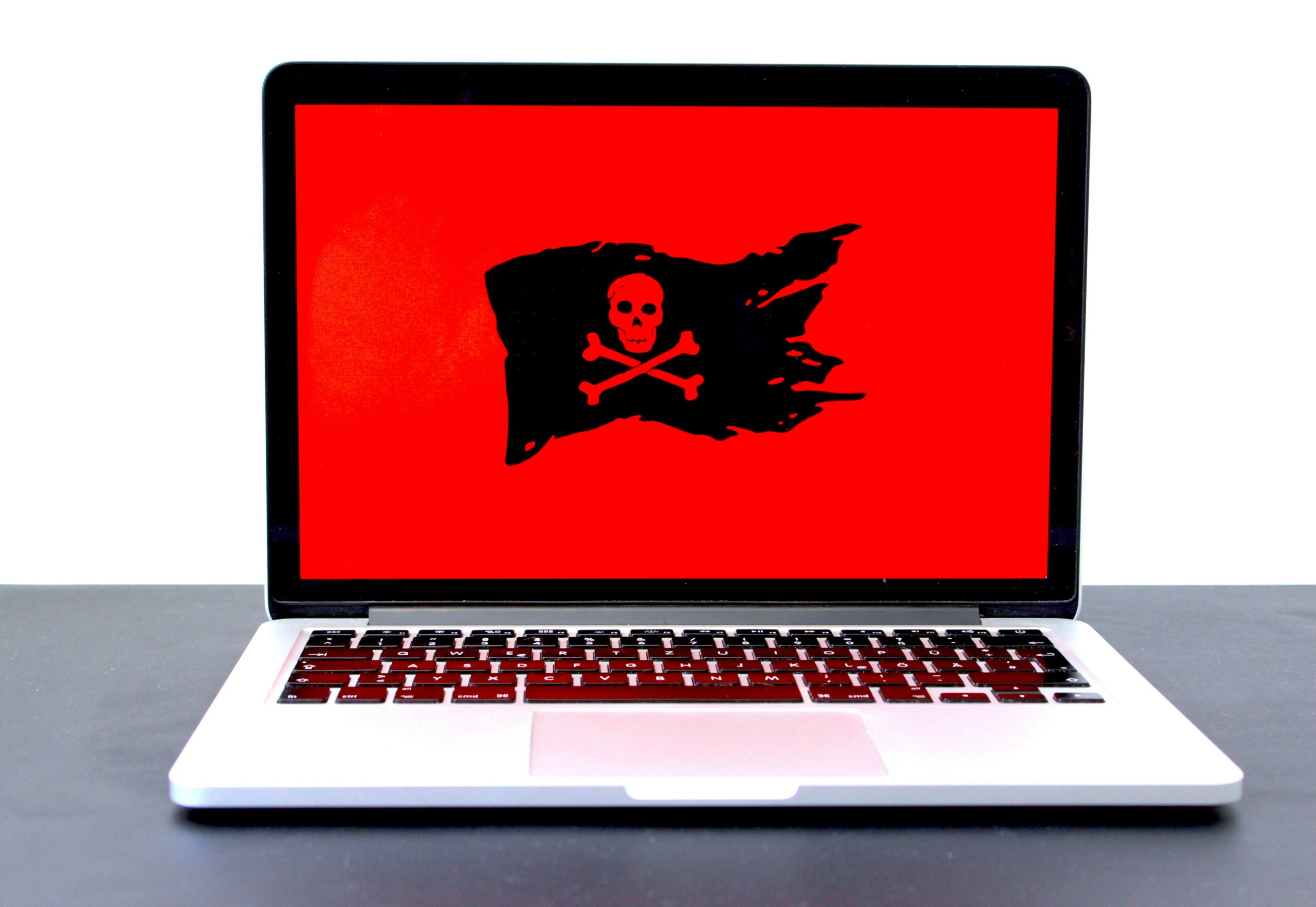
Cybersecurity Services New Jersey Businesses Use to Break the Marketing Silo
The fix for the Marketing Silo is a unified security approach backed by cybersecurity services New Jersey businesses can rely on. eMDTec breaks down the wall between marketing and IT, and protects your entire corporate footprint, from email and servers to the laptops and phones your team uses to manage social media.
Our cybersecurity services in New Jersey include identity and MFA management, phishing-resistant sign-in, mobile and endpoint security for the devices that touch your brand, secure offboarding, and security awareness training. Combined with our managed IT services, that gives you NJ business IT support that treats your Facebook Page with the same care as your file server.
eMDTec has supported New Jersey medical practices, law firms, financial firms, and professional services companies since 2002. If you want NJ business IT support that sees the whole picture, start here.
Digital Footprint & Shadow IT Audit: we’ll help you locate every corporate account floating around the web, including forgotten pages, old ad accounts, and unapproved tools, then clean up ownership, lock down access, and give you a clear plan to keep it secure. It’s the fastest way to learn how to secure business social media accounts across your whole company, with cybersecurity services New Jersey businesses trust.
Frequently Asked Questions
What’s the first step in how to secure business social media accounts?
Make a list of every account and confirm the business controls the recovery email, recovery phone, and admin access for each one. You can’t protect accounts you don’t know about or don’t own.
Should only one person have administrator access?
No. Relying on one person can lock the business out if they’re unavailable. Keep the number of full admins small, but make sure at least one other trusted person can help recover or manage each account.
Is an authentication app better than an SMS code?
Yes. Authentication apps are less exposed to SIM-swap attacks than SMS codes, and security keys and passkeys offer even stronger protection against phishing. If SMS is the only option, it’s still better than a password alone.
Can an outside marketing agency have access?
Yes, but give the agency its own assigned access through the platform’s business tools rather than your main password. Limit its permissions to the work it performs, and remove access as soon as the relationship ends.
Should we use a personal email address for account recovery?
No. Use an address the business controls. A personal address creates recovery problems when an employee leaves or becomes unavailable.
What if the platform doesn’t support separate users?
Keep the password in a business password manager, restrict access to the smallest possible group, turn on MFA, document who controls recovery, and change the password whenever anyone leaves that group.
Sources and Further Reading
- CISA: Social Media Account Protection
- CISA: Require Multifactor Authentication
- Australian Signals Directorate: Security Tips for Social Media and Messaging Services
- Cyber.gov.au: Secure Your Social Media
- Meta: About Facebook Page Access
- LinkedIn: Understand Admin Access for LinkedIn Pages
- X: How to Use the Delegate Feature
- YouTube: Add or Remove Access With Channel Permissions
This Article has been Republished with Permission from The Technology Press.