

 Managed IT Services
Every fall, New Jersey business owners sit down with next year’s numbers and find that technology has quietly become one of the largest line items after payroll and rent. Subscriptions multiplied, the server needs replacing, cyber insurance wants more controls, and the hourly IT bills never seem to shrink. The good news is that most of that spending can be reduced without taking on more risk. This guide explains how to reduce IT costs for small business owners in a way that holds up: cutting waste, replacing unpredictable expenses with predictable ones, and spending where it prevents far larger bills later.
This article was first published in 2022 with four general tips. It has been rewritten for 2026 with the specific levers that work for 10- to 100-person practices, firms, and offices. If you are building the budget itself, our small business IT budget checklist and IT budget planning guide cover the structure; this piece is about the savings.
Where Small Business IT Money Actually Goes
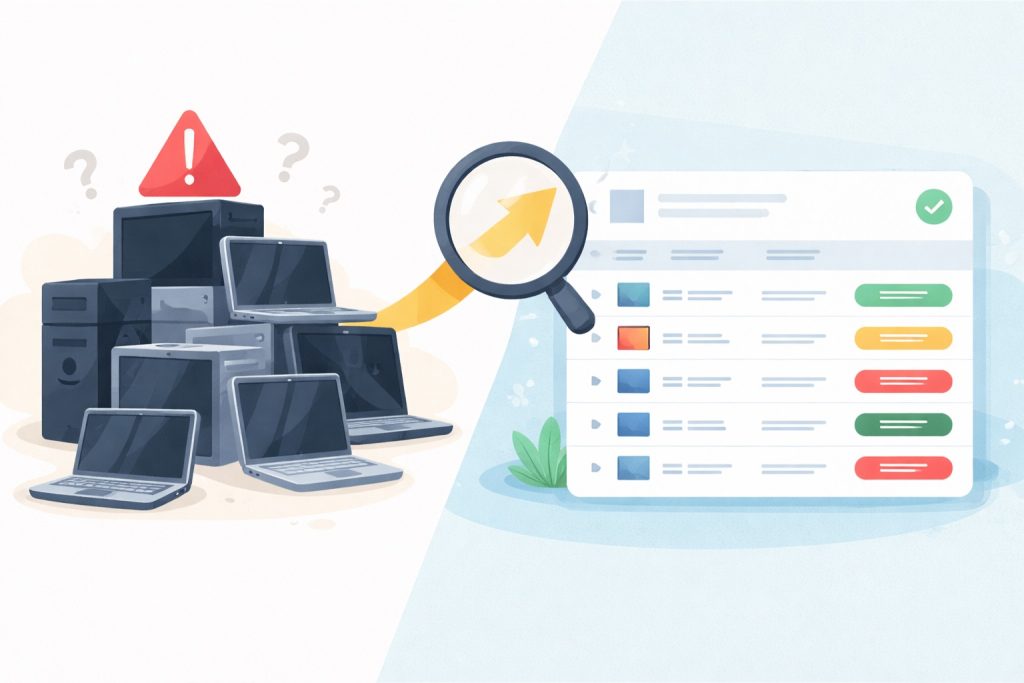
Before you can decide how to reduce IT costs for small business operations, you need to see the whole picture. Most owners track the obvious items and miss the rest. A complete inventory usually reveals six categories:
- Software subscriptions: Microsoft 365 or Google Workspace, line-of-business applications, and the dozens of smaller SaaS tools individual departments signed up for.
- Hardware: computers, servers, network gear, phones, printers, and their warranties.
- Support: a managed services agreement, hourly break-fix billing, or an in-house person’s salary.
- Connectivity: internet, phone service, and mobile plans.
- Security and compliance: endpoint protection, backup, email security, training, assessments, and cyber insurance.
- Hidden costs: downtime, staff time lost to slow computers, emergency replacements, and the breach you are hoping does not happen.
The first practical step in how to reduce IT costs for small business owners is to pull twelve months of credit card and bank statements and tag every technology charge. The exercise takes an afternoon and almost always finds subscriptions nobody remembers buying.
How to Reduce IT Costs for Small Business: 10 Levers That Work
1. Audit and consolidate software licenses
Software is the fastest-growing cost and the easiest place to start on how to reduce IT costs for small business teams. Common findings: Microsoft 365 licenses still assigned to employees who left, premium plans for staff who only need email, duplicate tools doing the same job in two departments, and add-ons purchased for a project that ended. Review license assignments quarterly, downgrade plans that are over-specified, and remove accounts the day someone leaves. Our post on auditing Microsoft 365 Copilot usage shows how much premium-license waste a small firm can accumulate in a year.
2. Eliminate shadow IT and duplicate SaaS
Another answer to how to reduce IT costs for small business software is to find the licenses you do not know about: the project management tool one team adopted, the file-sharing app another uses, the three different e-signature services across the office. Each costs money, and each is an unmanaged place where company data lives. Discover them with expense reports and web-filtering logs, standardize on one tool per function, and route new purchases through a single approver. Our guide to uncovering unsanctioned cloud apps walks through the process.
3. Replace break-fix billing with proactive managed IT
Paying by the hour when something breaks feels cheaper until you add up a year of invoices and the downtime behind each one. Hourly support rewards problems; a fixed-fee managed services agreement rewards preventing them. Monitoring, patching, and maintenance catch failing drives, expiring certificates, and security gaps before they become billable emergencies and lost workdays. For most offices over ten people, the predictable monthly fee ends up lower than the reactive total, and it is far easier to budget. Our breakdown of how much managed IT costs in NJ gives real ranges.
4. Retire the server you no longer need
When owners ask how to reduce IT costs for small business infrastructure, the server is usually the answer. An on-premises server carries costs most owners never total: the hardware, the Windows Server licensing, the backup appliance, the UPS, the electricity and cooling, the support time, and the replacement every five years. If your applications can run in Microsoft 365 or be hosted in Azure, moving them converts a large capital expense into a smaller operating expense and removes a single point of failure. If a line-of-business application still requires a server, right-size it rather than overbuying. Our Azure cloud migration services page compares the two paths with numbers.
5. Control cloud waste
The cloud is cheaper than hardware only when it is managed, and cloud waste is a growing share of small business IT spending. Idle virtual machines, oversized instances, orphaned storage, and forgotten test environments quietly bill every month. Set budgets and alerts, right-size monthly, and shut down what is not in use. Our article on managing cloud waste as you scale lists the specific checks.

6. Standardize hardware and plan the refresh cycle
Hardware standardization is an underrated part of how to reduce IT costs for small business fleets. Buying whatever is on sale creates a fleet of incompatible machines with different warranties, drivers, and failure dates, and every repair becomes a research project. Standardize on one or two business-class models, buy with three-year onsite warranties, and replace on a planned three- to five-year cycle instead of when something dies in the middle of a busy week. Planned refreshes are cheaper per machine, avoid emergency pricing, and keep staff productive. Our hardware lifecycle management guide and the post on how long business computers last cover the timing.
7. Stop paying for slow computers
The most expensive computer in the office is the one that costs a $40-an-hour employee 20 minutes a day waiting. Across a year that is more than 80 hours per person, or the price of a new machine several times over. Machines without an SSD, with 8 GB of RAM, or past their fifth birthday should be at the top of the replacement list, not the bottom. This is one of the few places where spending is how to reduce IT costs for small business productivity.
8. Move phones to cloud VoIP and renegotiate connectivity
Phones are an overlooked part of how to reduce IT costs for small business communications. Traditional phone lines and on-site PBX systems cost more and do less than cloud VoIP, which bundles desk phones, mobile apps, auto-attendants, and Teams integration into a per-user fee. At the same time, review internet and mobile contracts annually; business fiber has expanded across northern New Jersey and prices have dropped, and carriers rarely lower your rate unless you ask.
9. Use security spending to lower insurance and avoid the big bill
Security looks like pure cost until you price the alternative, and it is the part of IT cost optimization owners most often get backwards. Multi-factor authentication, endpoint detection and response, tested backups, and staff training are now conditions for cyber insurance coverage and directly affect premiums, and they are what stand between your business and a breach that costs weeks of downtime, notification expenses, and lost clients. Bundling these into a managed security package is usually cheaper than buying them separately, and documenting them can pay for itself at renewal. Our cybersecurity services are priced that way.
10. Consider co-managed IT instead of a second hire
If you already have one IT person, how to reduce IT costs for small business support is rarely a second salary. Co-managed IT gives your in-house staff an outside team, tools, and after-hours coverage for a fraction of the cost of another employee, and keeps institutional knowledge from walking out the door on vacation or resignation. Our co-managed IT services page explains the model.
Managed IT vs Break-Fix: The Math Behind Lever 3
Because the managed IT vs break-fix decision is the largest single lever in how to reduce IT costs for small business budgets, it deserves a closer look. Break-fix billing charges by the hour, typically in 15-minute increments, whenever something goes wrong, and nothing in that model pays the provider to prevent the next problem. Managed IT charges a flat monthly fee per user or device that covers monitoring, patching, help desk, security tooling, and planning. Here is how a typical 20-person professional office compares:
| Cost Element | Break-Fix | Managed IT |
|---|---|---|
| Support labor | Hourly, unpredictable, highest during emergencies | Fixed monthly fee |
| Monitoring and patching | Usually none; problems found by users | Included, automated, reviewed daily |
| Security tools (EDR, email filtering, MFA management) | Purchased and managed separately, if at all | Typically bundled |
| Backup management and testing | Extra, often skipped | Included and documented |
| Downtime | Frequent and prolonged; billed to fix | Reduced by prevention; covered by the fee |
| Planning and budgeting | None | Quarterly reviews and a refresh roadmap |
| Compliance documentation | Not provided | Produced as part of service |
| Annual total | Looks low in a quiet year, spikes in a bad one | Predictable; usually lower once downtime is counted |
The honest comparison includes downtime. If a server failure costs two days of a 20-person office’s productivity, that single event can exceed several months of a managed agreement. The managed IT vs break-fix question is really whether you prefer to pay a known amount to prevent problems or an unknown amount to recover from them.

IT Cost Optimization by Industry
The levers above apply everywhere, but the biggest savings differ by the kind of business. Here is where IT cost optimization usually pays off first in the industries eMDTec serves across northern New Jersey.
Medical and dental practices
The EHR hosting decision dominates. Moving from a local server to a vendor-hosted or Azure-hosted EHR removes hardware, backup appliances, and after-hours support costs, and HIPAA documentation produced by a managed provider replaces consultant fees at audit time. Shared exam-room workstations and a planned refresh cycle cut both hardware spend and clinician frustration. See our healthcare IT support page.
Law firms
Document management and case management subscriptions are the main software cost, and firms frequently pay for overlapping tools. Consolidating onto Microsoft 365 with a single practice management platform, retiring the file server, and moving phones to VoIP are the typical wins. Our IT support for law firms covers the stack.
Accounting and financial services
Seasonal staffing creates license and hardware waste: accounts left active through the summer, laptops bought for one season. License reviews after April 15 and a pool of managed loaner laptops save money every year, and bundling the FTC Safeguards Rule controls into the managed agreement avoids separate compliance spend. See IT support for accounting firms.
Professional services and nonprofits
Small business IT spending in these organizations is usually spread across many small subscriptions and a few aging machines. Consolidation and a standard hardware spec deliver most of the savings, and nonprofits should confirm they are using the discounted Microsoft 365 and Google Workspace plans available to them.
IT Cost Optimization: Where Not to Cut
Any honest guide on how to reduce IT costs for small business owners has to name the false economies, because they are the mistakes that generate the biggest bills:
- Backups. Dropping to a cheaper plan with less retention, or skipping Microsoft 365 backup, saves little and risks everything.
- Warranties on business machines. A three-year onsite warranty costs a fraction of one emergency replacement.
- Security basics. Removing EDR, MFA, or email filtering to save a few dollars per user is the cut that leads to a six-figure incident.
- Running out-of-support software. Windows 10 and old server versions are free to keep and expensive to be breached through; they also void insurance and fail compliance audits.
- Consumer-grade network gear. The ISP router and a mesh kit from a big-box store cannot segment guests, support VLANs, or pass an insurance questionnaire.

Tax and Accounting Levers for Small Business IT Spending
How you pay matters as much as what you pay when the goal is how to reduce IT costs for small business cash flow. Section 179 of the federal tax code generally allows a business to deduct the full purchase price of qualifying equipment and off-the-shelf software in the year it is placed in service, which makes a planned year-end hardware refresh more attractive than a dribble of emergency purchases.
Subscriptions and managed services are ordinary operating expenses, deductible as incurred, and far easier to forecast. Hardware as a Service and leasing turn capital purchases into operating expenses with refreshes built in. Confirm the specifics with your accountant, but the budgeting principle is simple: predictable monthly costs, planned capital purchases, and no surprises.
A 60-Day Plan to Reduce IT Costs
- Weeks 1 to 2: Inventory. Tag every technology charge for the past year. List every user, device, license, and subscription.
- Weeks 3 to 4: Quick wins on how to reduce IT costs for small business accounts. Remove unused licenses and accounts, cancel duplicate tools, downgrade over-specified plans, and renegotiate internet and phone contracts.
- Weeks 5 to 6: Structural decisions. Price a managed or co-managed agreement against last year’s hourly spend plus downtime. Decide the server’s future. Set the hardware refresh schedule.
- Weeks 7 to 8: Lock it in. Put a single approver on new technology purchases, schedule a quarterly license review, and build next year’s budget on the new numbers.
For context on what other small businesses spend, the U.S. Small Business Administration’s finance guidance is a useful neutral reference when you are setting targets.
How to Reduce IT Costs for Small Business: Frequently Asked Questions
What percentage of revenue should a small business spend on IT?
Benchmarks for small business IT spending vary by industry, with professional services and healthcare often spending more than retail or trades. The more useful measure is cost per employee per month, tracked year over year, with a clear split between run costs and planned investment.
Is managed IT really cheaper than hourly support?
For most offices over ten people, yes. In the managed IT vs break-fix comparison, managed wins once you count downtime and emergency work. The savings come from prevention and from bundled tools you would otherwise buy separately. Below that size, a light plan or co-managed arrangement may fit better.
Where is the single biggest waste in small business IT?
In our experience of how to reduce IT costs for small business clients, unused and over-specified software licenses, followed closely by keeping an aging server that should have moved to the cloud.
Can we cut costs and still meet HIPAA or FTC Safeguards requirements?
Yes. IT cost optimization and compliance are compatible because compliance controls are mostly configuration of platforms you already pay for. The savings come from consolidation and prevention, not from removing required safeguards.
How often should we revisit the IT budget?
A full review of how to reduce IT costs for small business operations annually, a license and subscription check quarterly, and a look at any contract 90 days before it renews.
Get a Second Opinion on Your IT Spending
Knowing how to reduce IT costs for small business operations is mostly a matter of seeing everything in one place and making a few structural decisions. eMDTec has reviewed and restructured technology spending for New Jersey medical practices, law firms, accounting firms, and professional services businesses since 2002, through our IT consulting and managed IT services. Schedule a free consultation on how to reduce IT costs for small business budgets like yours; we will walk through your inventory, show you where the waste is, and give you a budget you can defend.