

 Managed IT Services

Does your team feel like it keeps reinventing the wheel? When the same questions get asked and the same problems get re-solved, you’re leaking time and money. The fix is smarter knowledge management strategies that capture what your people already know and make it easy to find. At eMDTec, we help small and mid-sized businesses turn scattered know-how into a shared advantage.
Every business runs on shared knowledge: how things work, what’s been tried, and what actually delivers. When that knowledge isn’t documented, mistakes repeat and progress stalls. In fact, inefficient knowledge sharing costs large organizations an average of $47 billion a year. The good news? The right knowledge management strategies keep your team aligned, speed everything up, and stop repeat work before it starts.

10 Knowledge Management Strategies for Small Businesses
You don’t need an enterprise budget or a complicated system. You need a clear plan and the discipline to keep it current. Here are ten practical strategies to build a knowledge hub your team will actually use.
1. Start With the Right Questions
Before you shop for tools, pause and ask: what knowledge tends to get lost around here? Pinpointing the gaps first keeps your effort focused on the answers your team actually needs.
2. Choose the Right Tool, Not the Flashiest One
Wikis, shared folders, and messaging apps can all serve as a knowledge hub. What matters isn’t bells and whistles, it’s keeping things simple, searchable, and easy to reach from wherever your team works.
3. Keep It Focused and Logical
Once you have a home for your knowledge, organize it so people can find what they need in a few clicks or keywords. A logical structure beats a giant, unsorted dumping ground every time.
4. Make Content That’s Actually Useful
People want quick, clear answers that solve the problem in front of them. Keep entries short, and add visuals or step-by-step instructions wherever they make things clearer.
5. Split Internal and External Knowledge
Some knowledge belongs behind the curtain, like hiring processes and internal playbooks. Other content can live on your website as a helpful customer resource. Draw the line clearly so nothing sensitive slips out.
6. Assign Responsibility and Ownership
The most common reason knowledge hubs go stale is that nobody owns them. Assign clear ownership so someone is always accountable for keeping information accurate and up to date.
7. Make It Easy to Contribute
When a team member discovers a better way to do something, sharing it should take seconds, not a formal request. Low-friction contribution is how your hub grows into a genuinely valuable resource.
8. Tie It Into Everyday Work
A knowledge hub buried in a folder helps no one. Reference it in team meetings, onboarding, and day-to-day tasks. The more it’s woven into real workflows, the more everyone benefits.
9. Track What’s Working
Strong knowledge management strategies evolve based on what’s actually helping people. Watch what gets used, spot the gaps, and keep refining so the hub gets more useful over time.
10. Celebrate the Wins
Every time someone finds an answer in your hub instead of asking around, you save real time, and those savings compound. Recognize and celebrate that behavior so it becomes second nature.

Why Knowledge Management Strategies Matter for Growth
A well-run knowledge hub does more than save time. It speeds up onboarding, reduces reliance on any single person, and protects your business when someone leaves. For a broader look at organizing and protecting business information, the CISA small business cyber guidance is a useful companion resource.
Build Your Knowledge Hub With eMDTec
Choosing the right platform, setting it up securely, and getting your team to actually use it is where most businesses get stuck. That’s exactly where eMDTec comes in. We help you put these knowledge management strategies into practice with the right IT tools and a rollout your team will embrace.
Ready to unlock your team’s brainpower? Schedule a free consultation with eMDTec, or call us at 973-295-5570.

Putting Knowledge Management Strategies to Work in a Small Business
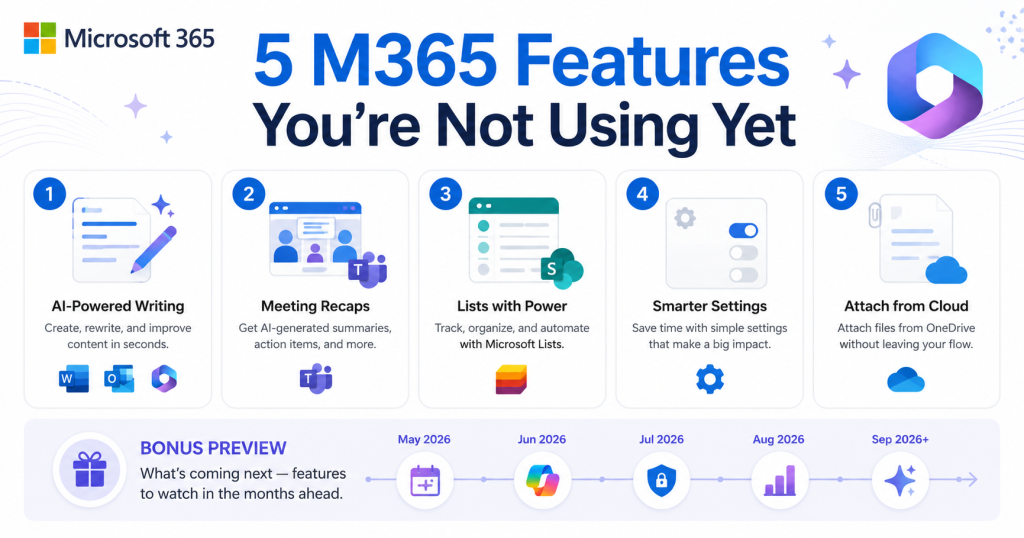
The ten knowledge management strategies above are easiest to adopt when they are tied to tools the business already pays for. For the New Jersey companies we support, that is nearly always Microsoft 365, and it covers more of this list than most owners realize.
SharePoint provides the central knowledge hub, with a site per department and a simple, agreed folder structure. OneNote or SharePoint pages hold the how-to documentation, and Microsoft Search makes it findable from Teams and Outlook. Teams channels keep the conversation about a topic next to its documents instead of buried in email. Loop components and shared OneNote notebooks capture meeting decisions in one place. Viva Learning or a SharePoint page can host the onboarding path for new hires. None of these require new licenses for a business already on Business Standard or Business Premium.
The organizational side of knowledge management strategies matters as much as the tools. Assign an owner for each knowledge area, set a quarterly review so stale documents are updated or archived, and make documenting a process part of finishing it rather than an extra task. When a long-serving employee gives notice, treat the handover as a knowledge capture project with its own checklist.
One caution: knowledge management strategies fail when they produce a second, parallel set of documents that nobody maintains. Fold the knowledge base into the tools people already open every day, keep each article short, and retire anything that has not been read in a year.
Finally, measure something simple. How long does a new hire take to become productive? How often do staff ask a colleague for something that should be written down? Those two questions tell you whether your knowledge management strategies are working better than any dashboard. Our managed IT clients get help configuring the Microsoft 365 side of this; the habits are the part the business has to own.