

 Managed IT Services

Security tips for mobile app users matter more than ever. Mobile applications have become an integral part of our lives. We use them to browse the internet, network, communicate, and much more. But they open us up to risks caused by fraudsters who may steal information or damage our phones.
According to 2024 data from Asee, over 75% of published apps have at least one security vulnerability. This means that 3 out of every 4 your favorite apps could be risky to use. It’s important to be cautious while downloading and maintaining apps. Here are ten simple tips that can help keep your mobile apps secure.

Why Is Mobile App Security Important?
Not only do 75% of apps risk our security, but business apps are three times more likely to leak log-in information. These risks also include even the most popular apps. Those with over 5 million downloads still have at least one security flaw.
Using mobile apps is not always safe. There are many ways for hackers and criminals to steal your data. This can happen because of your internet connection, app permissions, and more. Next, we’ll cover ten essential security tips to keep your data safe when using mobile apps.

Top 10 Security Tips for Mobile App Users
Mobile apps can be dangerous, but there are ways to reduce these risks. If you’re careful about where you download apps, the permissions you allow, the internet connection you use, and more, you can keep your data as safe as possible. Here are the top ten security tips for mobile app users:
1. Only download from official stores
The first step of mobile app security is choosing safe apps. Some apps are not secure, even when they look legit. It’s important to be aware of the source before you click download. Always download your apps from the App Store or Google Play.
These stores check apps to make sure they’re safe. Don’t download from random websites. They might have fake apps that can hurt your phone.
2. Check app ratings and reviews
Before you download an app, see what other people are saying about it. If lots of people like it and say it’s safe, it is probably fine. But if people are saying it has problems, perhaps you don’t want to install it.
3. Read app permissions
When you find an app you want to download, stop and do research first. If you download a fake app by mistake, your device may be attacked. It can open you up to malware, ransomware, and more threats.
Apps frequently request permission to access certain parts of your phone. Maybe they want to know your location or use your camera. Consider whether they really need that information. If an app requests access to too much, do not install it.
4. Update your phone’s operating system
Keep the software on your phone up to date. New updates frequently patch security vulnerabilities. This makes it more difficult for the bad guys to hack into your phone.
5. Use strong passwords
We use apps for many day-to-day tasks like sending emails, storing files, and sharing on social media. If an app is hacked, your personal information can be stolen.
Passwords protect your apps. Make sure your password is difficult to guess. Use letters, numbers, and symbols. Do not use the same password for all apps. That way, if a person guesses one password, he or she cannot access all your apps.
6. Enable two-factor authentication
Two-factor authentication means an additional step in order to log in. It can send a code to your phone or email. This will make it way harder for bad people to get into your accounts.
7. Beware of public Wi-Fi
Public Wi-Fi is never a safe space. There may be bad guys watching what you do online. Never use public Wi-Fi on important apps. Wait until you’re on a safe network, like the apps for banking.
8. Log out of apps not in use
Log out of apps whenever you’re done using them. This is even more important when the apps hold personal information, such as banking or email apps. In case someone steals your phone, it’s much harder for them to access your apps.
9. Update your apps
Developers of applications usually fix security issues in updates. Keep updating your apps whenever newer versions get released. It will help in safeguarding your information.
10. Use security features
Lots of apps have additional security features. These may include fingerprint locks or face recognition. Switch these on if you can, as they can help stop other people using your apps. Even with these security tips, it’s important to take other measures to protect your data. Be sure to follow our tips on safe downloads and data protection in addition.
Stay Safe While Using Mobile Apps
It’s not hard to stay safe with mobile apps. Just be careful and think before you act. Only download apps you trust. Keep your phone and apps updated. Use strong passwords and extra security when you can.
Remember, safety is in your hands. Don’t hesitate to ask for help with app security. For more mobile app security tips, feel free to contact us today.
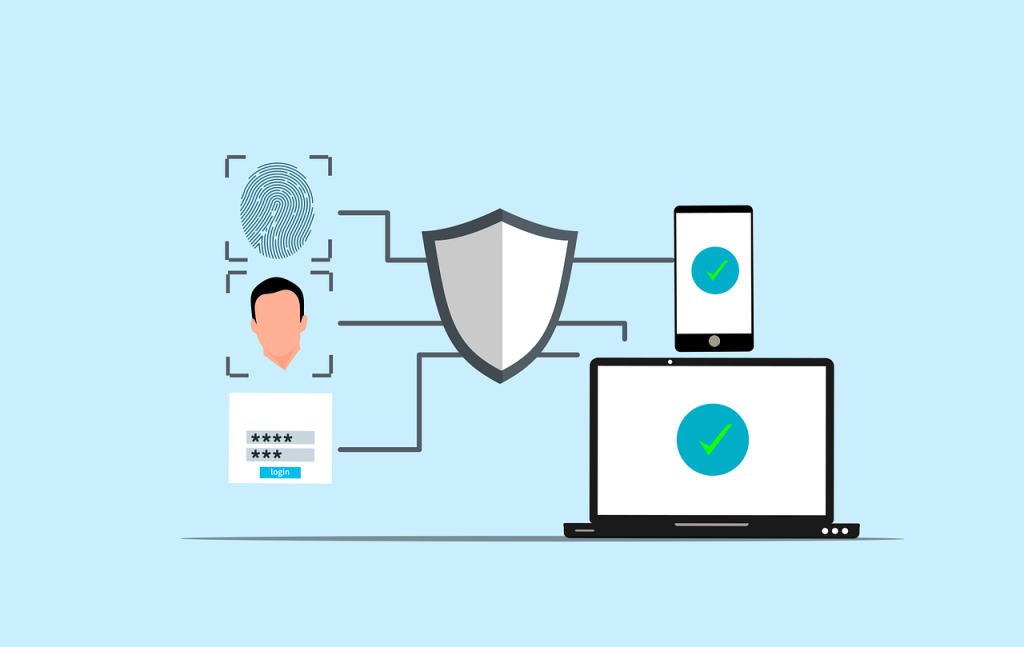

Security Tips for Businesses That Issue Phones
The ten security tips above are written for individual users. If your business issues phones or lets staff use personal devices for work, a few more security tips belong in company policy, because a phone with Outlook and Teams on it is a company computer in every way that matters.
Enroll devices in mobile device management. Whether company-owned or personal, a device that reaches company email should be managed enough to require a passcode, encrypt company data, and wipe that data if the phone is lost or the employee leaves. Modern management tools do this without touching personal photos or apps.
Separate work and personal. Managed apps, a work profile on Android, or app protection policies on iPhone keep company data inside approved apps and stop it being copied into personal messaging or storage. Most of the security tips about app permissions become automatic once this separation is in place.
Require phishing-resistant MFA and block legacy sign-ins. Phones are where most people approve MFA prompts, so training staff to deny unexpected prompts, and moving to number matching or passkeys, closes the most common mobile attack.
Keep an inventory and a replacement cycle. Phones that no longer receive operating system updates should not reach company data. Two or three years is the practical limit for most devices.
These security tips take an afternoon to implement for a small office and are standard in the managed IT plans we provide to New Jersey businesses. They also answer the mobile device questions on nearly every cyber insurance application.
—
This Article has been Republished with Permission from The Technology Press.