

 Managed IT Services

Summary: Business email hacked after changing password? The new password probably isn’t the problem. Attackers often keep access through an active session token, a hidden forwarding rule, a connected app, mailbox permissions, or a recovery method they quietly added. Here’s how each one works, what it means for New Jersey small businesses, and how to shut every door for good.
Picture this. An employee’s mailbox gets compromised on a Tuesday. You catch it, change the password, and breathe a sigh of relief. Then on Friday a long-time vendor calls to ask why your “new bank details” for their invoice look different. It’s a textbook case of an email hacked after changing password: the attacker never left.
An email hacked after changing password happens to small businesses across New Jersey every week. The password change felt like the end of the incident, but it only locked one door. Security teams call the rest webmail persistence: the techniques an attacker uses to stay inside a mailbox without needing the new password at all.
At eMDTec, we call the underlying mistake the Logout Fallacy. It’s the assumption that updating a credential automatically ends an active intrusion. It doesn’t. Current recovery guidance from Microsoft, Google, and the UK National Cyber Security Centre all include several checks beyond the password reset for exactly this reason.
Email Hacked After Changing Password? Understanding the Logout Fallacy
Email deserves particular care because it is the master key to the rest of your business. Password-reset messages for your accounting software, bank portal, cloud storage, payroll system, and social media accounts all land in the inbox. Anyone who can still read that inbox can reach those accounts too.
So when a business owner calls us about an email hacked after changing password, our first question is never “how strong is the new password?” It’s “what else did the attacker set up while they were inside?”
During the time they had access, an attacker may have:
- Stayed signed in on their own browser or email app
- Created a rule that quietly forwards or hides messages
- Approved a connected app with permission to read the mailbox
- Granted another account access to the mailbox
- Added their own phone number, recovery email, or sign-in method
A new password does nothing about any of these. Each one has to be found and removed on its own.
Why Changing a Password Fails: 4 Email Persistence Techniques
Here are the four email persistence techniques we see most often when we investigate an email hacked after changing password. None of them require the attacker to know the new password.
1. Active Session Tokens: The House Key That Still Works
Email services use sessions so you don’t have to type your password every time you open a message. After you sign in, the service gives your browser or email app a cookie or token that says, in effect, “this login was already approved.”
Think of that token as a house key. Changing the password is like changing the deadbolt code on the front door, but the attacker is already standing in the living room with a key that doesn’t expire just because the code changed.
IMAGE SOURCE: https://www.pexels.com/photo/smartphone-screen-showing-account-verification-alert-33440144/
Providers handle this differently. Google says changing a password signs the user out in most places, but it lists exceptions that can include some devices and third-party apps. Microsoft’s guidance for business accounts tells administrators to disable the affected account during the investigation and revoke active sessions as a separate step.
Stolen tokens make this worse. Malware on an employee’s computer can copy a session cookie and send it to an attacker. Modern phishing kits can also capture the token during a fake login page visit, even when the employee completes multi-factor authentication. With a valid token, the attacker skips the login screen entirely. That’s the most common reason we find an email hacked after changing password: the attacker’s session simply never ended.
The fix is to force every session closed with a “sign out everywhere” command. Depending on the platform, the control may be called “revoke sessions,” “sign out of all sessions,” “reset sign-in cookies,” or “log out of all devices.” If malware might be on the employee’s computer, start the recovery from a different, known-clean device.
2. Malicious Inbox Rules: The Invisible Forwarder
After the active sessions are closed, the next place to look is inside the mailbox itself.
An attacker can create a rule that sends a copy of every incoming and outgoing email to an outside address. More careful attackers use a filter that only forwards messages containing words like “invoice,” “payment,” “wire,” “bank,” or “password reset.” Everything else arrives normally, so nothing looks wrong.
Rules can also hide activity. A rule might move security alerts, customer replies, or a vendor’s “did you really change your bank account?” question into a folder the employee never opens, or delete it outright.
This is the classic email hacked after changing password scenario. The owner resets the credential, but the invisible forwarder keeps sending invoices, vendor data, and client conversations straight to the criminal.
Both Microsoft and Google tell users and administrators to check forwarding settings and mailbox rules after a suspected compromise. In Microsoft 365, this check should happen through the admin tools, not only in the employee’s Outlook settings, because Microsoft specifically recommends reviewing all inbox rules, including hidden ones.
3. OAuth App Integrations: A Back Door Around the Login Screen
Forwarding rules are one way to keep receiving email. A connected application is another.
Image Source: https://www.pexels.com/photo/creative-photo-of-a-lock-key-16564254/
Businesses connect email accounts to scheduling tools, CRMs, mobile email apps, e-signature services, and browser extensions every day. Most of these connections use a standard called OAuth. When a user clicks “Allow,” the app receives permission to access parts of the account, and it never needs the user’s password.
Attackers abuse this by building an app that looks legitimate and tricking the user into approving it. Microsoft explains that a harmful app consent grant can provide access to email, files, contacts, and forwarding rules. That app keeps a direct API pipeline into your data that completely bypasses the standard login. It’s one more way an email hacked after changing password stays hacked.
Some app connections stop after a password reset. Many don’t. Every connected app needs to be reviewed, and anything the business doesn’t recognize, use, or approve should be removed. Remember that an app’s name and logo prove nothing about who built it. Your administrator should check the publisher and the exact permissions the app received.
4. Altered Recovery Information and Sign-In Methods
This one is subtle. While they had control, the attacker may have swapped in their own recovery email address or mobile number, or added their own authenticator app, passkey, or security key.
The result is a frustrating loop. The owner resets the password, and the attacker uses the modified recovery channel to reset it right back. Or they use the extra sign-in method they registered to approve a fresh login without ever knowing the new password. If you see an email hacked after changing password more than once, this is often why.
Microsoft tells administrators to review a compromised user’s registered MFA devices and remove anything suspicious. Google advises checking recovery details, recent security activity, devices, and sign-in methods. Compare every entry with the account owner and remove anything nobody can explain.
A Fifth Door: Mailbox Delegation and “Send As” Rights
Business email platforms let one person access another person’s mailbox. An executive might give an assistant access, or a team might share a mailbox. This is called delegation.
A delegate signs in with their own account, so changing the mailbox owner’s password does not remove them. Delegation is easy to overlook when cleaning up an email hacked after changing password, because the access belongs to a different account. Exchange Online supports Full Access, Send As, and Send on Behalf permissions, and Gmail supports delegated access too. “Send As” deserves extra attention: someone with that right can send messages that appear to come straight from your mailbox, even if they can’t read it.
Hacker Still Has Access After Password Change? Warning Signs to Watch
How do you know if a hacker still has access after password change? Watch for these signs in the days and weeks after an incident:
- Contacts reply to emails you never sent, or ask about invoices you didn’t issue
- Expected messages from vendors, clients, or your bank never arrive
- Unexpected MFA prompts or “new sign-in” alerts on your phone
- Rules, filters, or forwarding addresses you didn’t create
- Unfamiliar devices or apps in your account’s security settings
- Sent, Deleted, or Archive folders contain messages nobody on your team recognizes
If any of these show up after you already changed the password, assume the account is still compromised. Your business email hacked after changing password is an active incident, not a closed one.
Searching “How to Kick Hacker Out of Office 365”? Follow These 7 Proven Steps
If you’re searching for how to kick hacker out of Office 365 (or Google Workspace), the honest answer is that most of the settings involved are only visible in the admin tools. Contact your IT provider or email administrator rather than asking the affected employee to clean things up from their own inbox. Here’s the sequence we follow for every email hacked after changing password.

Step 1: Disable the Account and Revoke Every Session
Temporarily block sign-in or suspend the account while it’s investigated. Then revoke all active sessions and tokens so the attacker is signed out everywhere. In Microsoft 365 that means the “sign out of all sessions” or “revoke sessions” control for the user; in Google Workspace it’s resetting the user’s sign-in cookies. The employee may lose access for a short time, but leaving the account live gives the attacker more time to read, send, or delete email. This step closes the session-token door behind an email hacked after changing password.
Step 2: Reset the Password the Right Way
Set a password that has never been used for another account. If the employee reused the old password anywhere else, change those too. Don’t send the new password to the affected mailbox; use a phone call, an approved password manager, or another trusted channel. A strong new password still matters; it just isn’t the whole fix for an email hacked after changing password.
Some older applications use separate app passwords. Microsoft notes these are not automatically revoked when the main password changes, so your administrator should remove or replace them.
Step 3: Audit Mail-Flow and Inbox Rules
Check forwarding addresses, inbox rules (including hidden ones), filters, blocked senders, automatic replies, and signatures. At the organization level, review transport (mail-flow) rules as well, since an attacker with admin access can create rules that affect every mailbox. Missed rules are one of the most common reasons an email hacked after changing password gets hacked again.
Step 4: Review OAuth Apps and Connected Integrations
List every app with access to the account and the permissions each one holds. Remove anything unrecognized. Rogue apps are easy to miss on an email hacked after changing password because they never show up as a normal sign-in. Check POP and IMAP access too, but confirm how the account is legitimately used before disabling them.
Step 5: Remove Rogue Delegates, Recovery Details, and MFA Methods
Review mailbox delegates and Send As rights, then registered devices, phone numbers, recovery addresses, authenticator apps, passkeys, and security keys. Remove anything the account owner and administrator can’t explain.
Step 6: Investigate What Happened
Review sign-in logs, audit records, message traces, and security alerts, and start the search well before the first known warning, because the original compromise may have happened earlier. Check Sent, Deleted, Drafts, Junk, and Archive folders for messages the employee didn’t write and for changed payment instructions.
A login from an unfamiliar location doesn’t prove someone else used the account. Mobile networks and VPNs can skew location data. The device, time, IP address, application, and surrounding activity tell a clearer story together.
Step 7: Warn Contacts, Protect Payments, and Return the Account Securely
If the account sent fraudulent messages, contact the recipients through a trusted channel and tell them which messages weren’t genuine. Pay close attention to anything involving bank details, invoices, payroll, gift cards, or password resets. If money may have gone to the wrong account, call the bank immediately using a number from its official website or your own records, never one from the email thread.
Before handing the account back, require MFA. Where your platform supports them, passkeys and physical security keys resist phishing far better than codes that can be typed into a fake login page. MFA blocks the next stolen-password login, but it does not remove rules, delegates, apps, or recovery methods that already exist, which is why steps 1 through 6 still matter.
The Real Risk to New Jersey SMBs: From Persistent Access to Business Email Compromise
For a local business, an email hacked after changing password is rarely about the email itself. It’s the setup for something more expensive.
Business Email Compromise and Fraudulent Wire Transfers
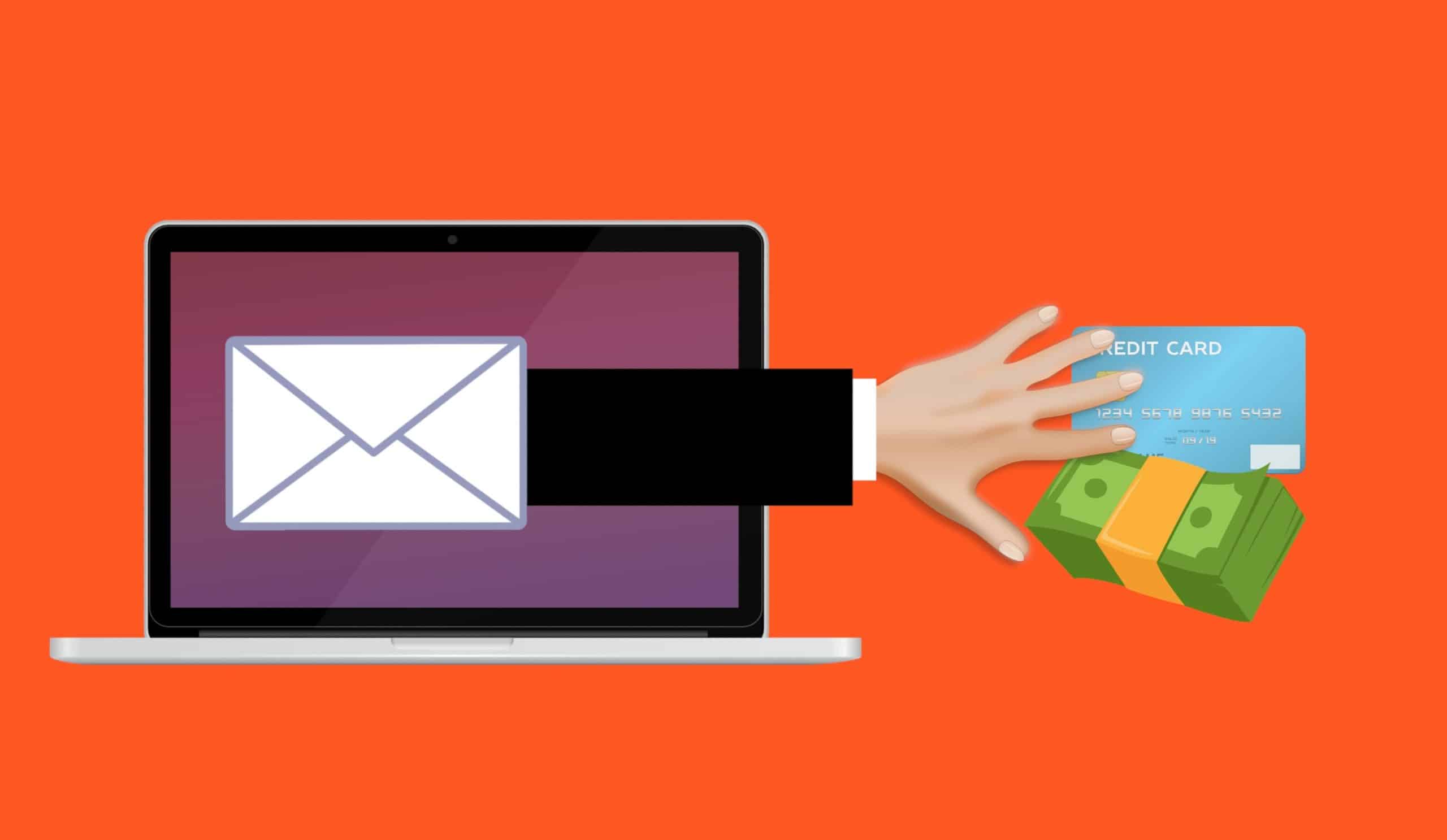
An attacker who can quietly read your mail learns who pays whom, when, and how. They wait for a real invoice, then reply from inside the thread with “updated” bank details. That’s Business Email Compromise (BEC), and it remains one of the costliest forms of cybercrime. The FBI’s Internet Crime Complaint Center reported roughly $3 billion in BEC losses in its 2025 annual report.
Vendor Identity Theft and Client Fraud
Your mailbox holds your vendors’ and clients’ names, signatures, and payment habits. Attackers use it to impersonate you to them, or them to you. When a client wires money to a criminal because the request came from your real email address, the fallout lands on your relationship, even if your firm never touched the money.
Reputational Damage and Compliance Exposure
Medical practices, law firms, accounting firms, and financial services companies carry extra weight here. A compromised mailbox containing patient records may trigger HIPAA breach analysis. Firms covered by the FTC Safeguards Rule have their own notification duties. New Jersey’s breach notification law treats a username or email address combined with a password as personal information, so a stolen login can itself become a reportable event. Every week an email hacked after changing password stays compromised makes that investigation larger.
Cybersecurity for Small Businesses in New Jersey: How to Prevent the Next Takeover
Good cybersecurity for small businesses in New Jersey isn’t about buying the most expensive tool. It’s about closing the specific doors that leave an email hacked after changing password. Ask your IT provider to:
- Block automatic forwarding to outside addresses unless there’s a documented business reason. Microsoft 365 and Google Workspace both support this.
- Restrict who can approve third-party apps, so employees can’t grant mailbox access to an unknown app with one click.
- Require MFA on every account, starting with administrators and anyone who handles payments or sensitive data. Move toward passkeys for business or physical security keys where the platform supports them.
- Alert on risky changes such as new forwarding rules, new app consents, and sign-ins from unusual places.
- Train your team to spot phishing and to report odd MFA prompts, login alerts, and messages they didn’t send. Our guide on how to spot a scam email is a good starting point.

Employees should report warning signs right away, so your IT provider can check the account before more email is sent or deleted.
Why DIY Cleanup Isn’t Enough: What a Managed Service Provider NJ Businesses Trust Does Differently
Changing the password is the step most owners can do on their own. Almost everything else lives in admin consoles, audit logs, and security settings that take experience to read correctly. Miss one forwarding rule or one app consent, and you’re back to an email hacked after changing password.
That’s where a managed service provider NJ businesses rely on earns its keep. When eMDTec responds to a compromised mailbox, our team goes well beyond the password reset:
- Full session revocation across every device, app, and token, so nobody stays logged in on the old credentials
- Mail-flow and inbox rule audits, including hidden rules and organization-wide transport rules
- OAuth and integration reviews to remove rogue apps and lock down future app approvals
- Recovery and MFA cleanup, with phishing-resistant sign-in methods put in place before the account goes back to the employee
- Log investigation to determine what was read, sent, or changed, and when it really started
- Advanced Threat Protection (ATP), now part of Microsoft Defender for Office 365, plus ongoing monitoring so the next attempt gets caught early
That’s what NJ MSP business security looks like in practice: a repeatable process instead of a one-time scramble. Through our cybersecurity services in NJ and managed IT services, eMDTec has helped New Jersey medical practices, law firms, financial firms, and professional services companies secure their email since 2002. If you’re not sure how exposed your accounts are today, a security risk assessment is the fastest way to find out. And if an incident is already underway, our guide on what to do after a cyberattack walks through the bigger picture.
Frequently Asked Questions
Email hacked after changing password: why does it keep happening?
Because a password change only stops new logins with the old password. Active session tokens, forwarding rules, connected OAuth apps, delegates, and attacker-added recovery methods can all survive the change. Each has to be found and removed separately.
Does changing an email password sign out every device?
It depends on the provider. Some services sign users out of most sessions after a password change, while others require a separate “revoke sessions” or “sign out everywhere” step. Follow the account-compromise instructions for your email platform, or ask your IT provider to do it from the admin console.
Can someone still receive my email after I change the password?
Yes. A forwarding rule or filter can keep sending them copies of your messages. Check every forwarding setting and mailbox rule, including hidden rules that only an administrator can see.
Can an app access my email without knowing my password?
Yes. An app can receive permission through OAuth, which lets it access approved account data without storing your password. Review and remove any connected app the business doesn’t recognize.
Should I delete a compromised email account?
Usually not. The account is normally disabled or suspended while it’s secured and investigated. Deleting it can destroy the evidence your IT provider needs to work out what happened.
Is MFA enough to secure the account?
No. MFA helps prevent new sign-ins, but it doesn’t remove mailbox rules, app permissions, delegates, recovery methods, or active sessions that already exist. Those need to be checked separately.
Don’t Let a Hacker Outlast Your Password Change
If you’re dealing with an email hacked after changing password, or you just aren’t sure the last incident was fully cleaned up, talk to us. eMDTec is a New Jersey managed service provider based in Verona, and we’ll help you find every way in, close it, and set up the monitoring that keeps it closed.
Sources and Further Reading
- Microsoft: Respond to a compromised email account in Microsoft 365
- Microsoft: App consent grant investigation
- Google Workspace: Identify and secure compromised accounts
- Google: Gmail security tips
- UK National Cyber Security Centre: Hacked accounts
- Australian Cyber Security Centre: Review your email account security
- FBI Internet Crime Complaint Center: Annual Reports
This Article has been Republished with Permission from The Technology Press.