

 Managed IT Services
Your laptop, phone and tablet are supposed to make work easier. Most days they do the opposite: forty open tabs, a desktop buried in screenshots, and an inbox that never hits zero. Here is the good news — you do not need new hardware. You need a system. Setting up your devices for productivity is mostly about removing friction, and it takes far less time than you would think.
At eMDTec we clean up cluttered systems for small and mid-sized businesses every week. Below are the eight changes that make the biggest difference, roughly in the order we would tackle them.
Why organizing your devices for productivity matters
Clutter is not just ugly. It is expensive. Every time you hunt for a file, retype a password, or lose your place because a notification pulled you away, you pay a small tax on your attention. One person paying that tax all day is annoying. Fifteen people paying it is a line item.
The pattern is consistent: it is rarely the interruption itself that costs you, it is the time spent climbing back into what you were doing. Cut the number of interruptions and you get more done without working longer.
When you organize your devices for productivity, three things happen almost right away:
- You find what you need on the first try instead of the fifth.
- Your machines run faster, because they are not juggling junk.
- Work feels lighter, because you are not fighting your tools all day.
Messy devices slow us down and make it hard to find what we need. An organized device is faster, calmer and far easier to secure.
How digital clutter quietly drains your focus
Digital clutter behaves a lot like the physical kind. Files pile up in Downloads. Apps you tried once still sit on the home screen. Old backups eat storage until the whole machine starts crawling. Storage pressure is a common culprit — if you have never worked out how much room you actually need, our guide to how much device storage you need is a good place to start.
Clutter creates risk, too. Duplicate files mean somebody eventually edits the wrong version. Forgotten apps stop getting security updates. Passwords saved in a spreadsheet are a breach waiting for a bad day. Organizing your devices for productivity and keeping them secure are really the same job.
There is a hidden cost on the IT side as well. When every machine is organized differently, troubleshooting takes longer, onboarding a new hire takes longer, and handing off a project means somebody has to go hunting. Standardizing how you organize devices for productivity pays you back every single time someone new joins the team.
8 ways to organize your devices for productivity
Work through these in order. The first three are the quick wins — you can knock them out in an afternoon.
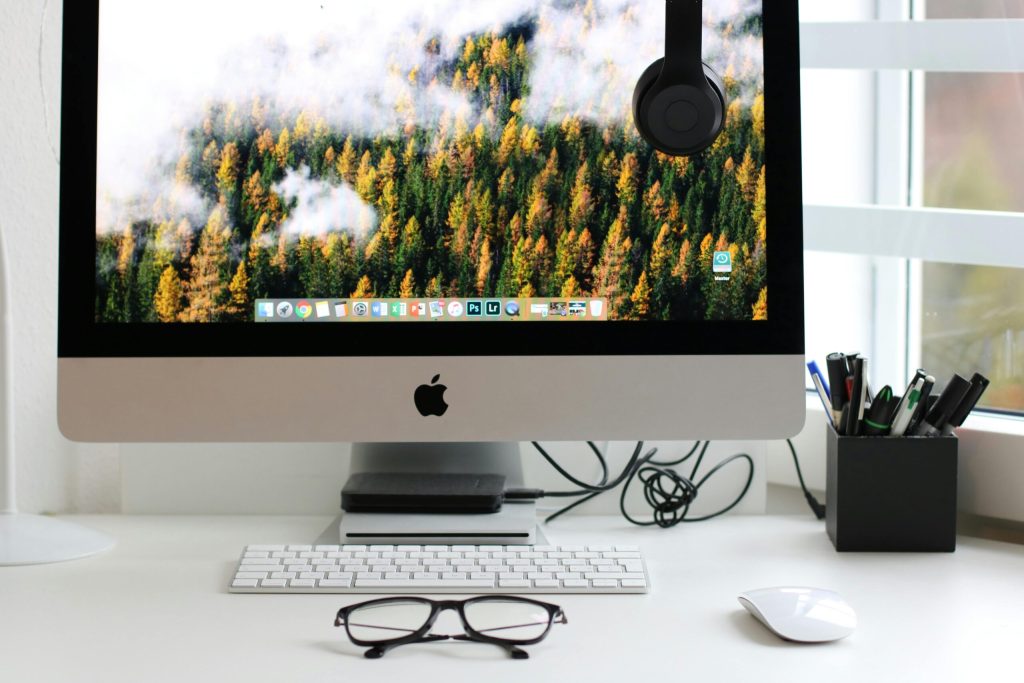
1. Declutter your home screen
Your home screen sets the tone for the whole day. If it is chaos at 8 a.m., the rest of the day tends to follow.
- Delete any app you have not opened in 90 days. If you miss it, reinstall it.
- Group what is left into folders by job, not by brand: Finance, Comms, Design, Admin.
- Choose a plain wallpaper. Busy backgrounds make icons genuinely harder to scan.
If you want to take the layout further, we walk through it in our post on ways to customize your desktop layout.
2. Rebuild your file and folder system
Pick one structure and use it everywhere — laptop, cloud drive, shared server. Consistency is what makes it stick.
- Build top-level folders that match how you actually work: Clients, Projects, Admin, Archive.
- Name files so they sort themselves. 2026-07-Acme-Proposal-v2.pdf beats final_FINAL.pdf every time.
- Empty your Downloads folder every Friday. It is the junk drawer of every device you own.
3. Get your inbox under control
Email is where most productivity gains quietly disappear. Keep the system boring.
- Create three folders and stop there: Action, Waiting, Reference. More folders just means more filing.
- Unsubscribe instead of deleting. Deleting the same newsletter 200 times is not a system.
- Use the two-minute rule: if a reply takes under two minutes, send it now.
4. Tune up your browser
Your browser is where most of the workday happens, so it deserves the same attention as the desktop.
- Sort bookmarks into folders and delete anything you have not clicked in a year.
- Keep only the extensions you use weekly. Each one costs memory and widens your attack surface.
- Clear your cache monthly. If a device already feels sluggish, our tips for a slow-running iPhone apply to most hardware.
5. Lock down your passwords
- Use a password manager so your team only has to memorize one strong passphrase.
- Give every account its own long, unique password. No reuse, no patterns.
- Turn on multi-factor authentication everywhere it is offered, starting with email and banking.
6. Tame your notifications
Notifications are the single biggest thief of deep work. Be ruthless here.
- Turn off alerts for everything except calls, calendar, and your chat or ticketing tool.
- Batch-check the rest at set times — mid-morning, after lunch, end of day.
- Schedule Do Not Disturb around your focus block so you do not have to remember.
7. Automate your backups
- Keep working files in cloud storage that syncs automatically, not in a desktop folder.
- Hold a second copy somewhere else. The 3-2-1 rule still holds up.
- Test a restore once a quarter. An untested backup is a guess, not a backup.
8. Keep your hardware healthy
- Install operating system and app updates on a schedule, not whenever later finally arrives.
- Run scheduled malware scans instead of relying on manual ones.
- Clean vents, keyboards and screens. Heat is the quiet killer of laptops.
Battery health counts too. Once a laptop only holds a charge for an hour it stops being portable, and people start working around it instead of with it.
Tools that make organizing devices for productivity easier
You do not need a big stack. Four categories cover almost everyone who wants to get their devices for productivity properly set up.
Cloud storage
OneDrive, Google Drive or SharePoint — pick one and make it the single source of truth. Files that live in only one place will eventually be lost.
A password manager
Business-grade managers let you share credentials without emailing them, and they show you which passwords are weak or reused. That visibility alone is worth the licence.
One task list, not four
Sticky notes, a notebook, three apps and your inbox is not a system. Choose one place where work gets captured, and check it daily.
Device management
Once you have more than a handful of machines, mobile device management lets you push updates, enforce encryption and wipe a lost laptop remotely. It is the difference between organizing devices for productivity once and keeping them that way.
A simple 30-day plan to organize devices for productivity
Trying to fix everything in one sitting is how these projects die. Spread it out.
Week 1 — clear the surface
Home screen, desktop, Downloads folder. Visible wins build momentum.
Week 2 — fix the filing
Build the folder tree, rename your active project files, archive last year of work.
Week 3 — secure it
Roll out the password manager, add multi-factor authentication to your top ten accounts, and update everything.
Week 4 — make it stick
Automate backups, set your notification schedule, and put a 15-minute cleanup on the calendar every Friday.
When to bring in help with your devices for productivity
One person can tidy their own laptop over a weekend. A team of fifteen needs standards — the same folder structure, the same password policy, the same backup schedule on every single machine. That is where most small businesses stall, and it is exactly the work we do.
We also handle the part nobody enjoys: migrating old files without losing anything, retiring devices safely, and making sure the new setup survives contact with real deadlines.
Ready to organize your devices for productivity?
If your team is losing hours to slow machines, mystery files or password resets, we will audit your setup and hand you a plan you can actually follow. No jargon, no pressure.
FAQs about organizing devices for productivity
How long does it take to organize devices for productivity?
Most people get the visible wins — home screen, desktop, Downloads — in about two hours. A full cleanup across files, email, passwords and backups is better spread over a month, twenty minutes at a time.
What should I organize first?
Start with whatever you touch most. For nearly everyone that is the home screen and the inbox, because that is where the daily friction actually lives.
Do organized devices for productivity really run faster?
Often, yes. Freeing up storage, removing background apps and trimming browser extensions all reclaim memory and disk space, and that shows up as real, noticeable speed.
How do I stop my devices for productivity from getting cluttered again?
Put maintenance on the calendar. Fifteen minutes every Friday beats a four-hour cleanup twice a year, and it never feels like a project.
Can eMDTec set this up for our whole team?
Yes. We standardize file structures, password management, backups and update policies across every device your team uses, then monitor it so it stays that way.
Organizing your devices for productivity is not a one-time project. It is a habit. Pick one item from this list today, get comfortable with it, then move on to the next. Your future self will thank you — and so will your calendar.
—
This Article has been Republished with Permission from The Technology Press.