

 Managed IT Services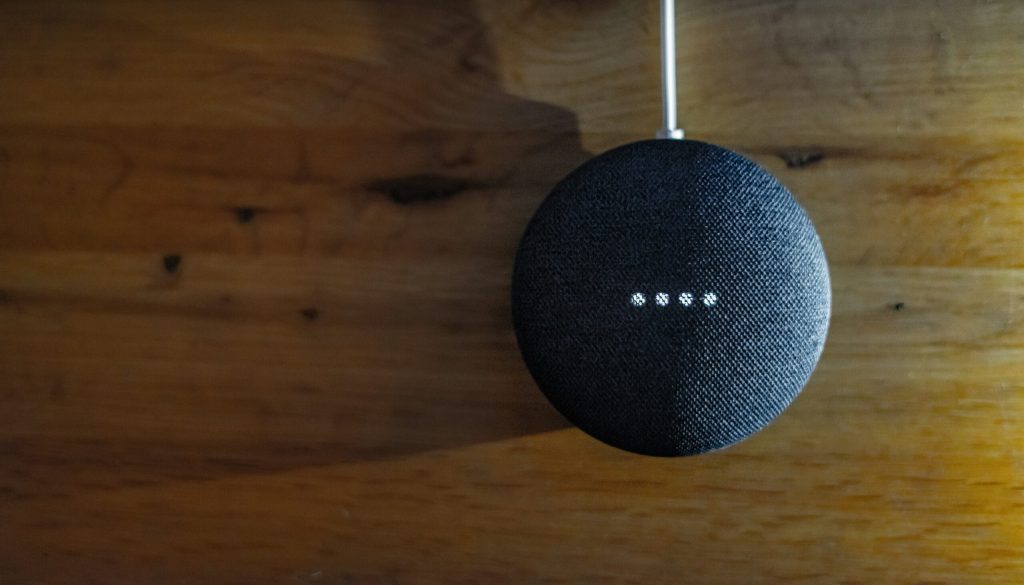
Smart homes make everyday life easier, but a smooth smart home setup takes a little planning. From choosing the right hub to picking devices that actually work together, here’s how to complete a smart home setup that runs smoothly from day one.
What is a Smart Home?
A smart home uses connected technology to control many parts of daily life, from turning lights on and off to unlocking doors and adjusting the thermostat. You can manage these devices with your voice or a smartphone app. Most smart home setups connect over Wi-Fi or Bluetooth so devices can talk to each other and respond to a single command.
Why Should I Make My Home Smart?
Smart homes save you time and energy, and a well-planned smart home setup can also make your home safer. Voice assistants and mobile apps let you control everything from one place, so you can adjust lights, temperature, and locks without lifting a finger. Lastly, they are simply fun to use, just say the word and watch it happen.
How Do You Complete a Smart Home Setup?
Choose Your Hub
The hub acts as the brain of your smart home setup. It helps your devices talk to each other and respond to voice commands or app controls. Common hubs include the Amazon Echo, Google Nest, and Apple HomePod, so pick one that matches the ecosystem you already use.
Choose Compatible Devices
Your devices should work with whatever hub you choose. When shopping, look for phrases like “Works with Alexa,” “Google Home compatible,” or “Works with Apple HomeKit” so you know the device will fit smoothly into your smart home setup.
Set Up Your Network
A strong Wi-Fi network is the backbone of any smart home setup. You might need to upgrade your router or add a mesh system to cover your whole house. Some smart devices even work best on their own dedicated network, which keeps your main connection fast and your smart devices stable.
What are some must-have smart devices?
Smart lights
Smart lights let you control brightness and color with your voice or phone, and you can schedule them to turn on and off automatically. Many brands also let you set the mood for movie night or wake up gradually with a sunrise-style alarm.
Smart thermostat
A smart thermostat learns your schedule and adjusts automatically to save energy while keeping your home comfortable. You can control it from anywhere, so you’ll never come home to a house that’s too hot or too cold.
Smart locks
Smart locks let you lock and unlock your doors right from your phone, no keys required. You can also share digital keys with guests or service providers and see exactly when your door was opened.
How can I get my devices to work together?
Use routines
Routines let you control several devices with a single command. Say “good morning,” and your smart home setup can turn on the lights, start the coffee maker, and read you the weather, all at once.
Group your devices
Grouping devices by room makes it easy to control everything at once. Instead of adjusting five different lights individually, you can dim the entire living room with a single tap or voice command.
How Do I Keep My Smart Home Setup Safe?
Use strong passwords
Give every device on your smart home setup a strong, unique password, and turn on two-factor authentication wherever it’s available. Reusing the same password across multiple devices makes it much easier for hackers to get in.
Keep software updated
Keep your devices updated with the latest software and firmware. These updates often patch security holes, so staying current is one of the easiest ways to keep your smart home setup safe from hackers.
What If I Have Problems With My Smart Home Setup?
Check your network
Poor Wi-Fi causes the majority of smart home issues. Make sure your network is strong and stable throughout your house, and consider a mesh router if you have dead zones.
Restart your devices
Sometimes the simplest fix is the best one. Turning a device off and back on again resolves a surprising number of connectivity and syncing problems.
Call for help
Don’t be afraid to reach out for help when you get stuck. Manufacturer support teams and IT professionals can save you hours of troubleshooting.
Making Your Smart Home Setup Even Smarter
A smart home setup takes a bit of work upfront, but the payoff, more convenience, better security, and real energy savings, makes it well worth the effort. Follow these tips to keep the process smooth from your first device to your tenth.
Need help getting your smart home setup running exactly how you want it? Contact us and we’ll help you pick the right devices and get everything working together.
—
This Article has been Republished with Permission from The Technology Press.